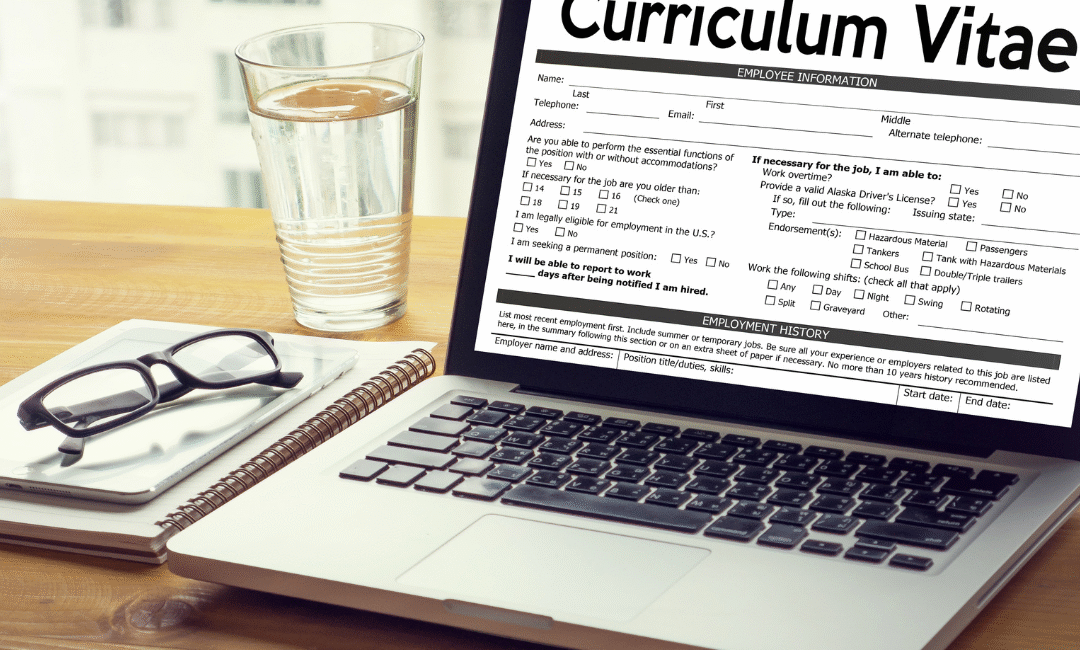
Use Best Free AI CV Builder. In today’s job market, your CV is your first impression — and you only get one chance to make it stand out. Thousands of people search for a free CV builder every day, but most of them fall into the same trap:
They fill out all their experience, skills, education… Click Download… And suddenly a pop-up appears:
“Add to cart – $2.99” “Unlock PDF – $3.99” “Premium export only”
This moment is frustrating for every job seeker. You spend 20–30 minutes entering your details on a CV builder you thought was free, only to realize you can’t download your resume without paying.
This is where JOL London’s Free AI CV Builder changes everything.
Why JOL London Is the Best Free AI CV Builder
1. 100% Free – No Pop-Ups, No Hidden Fees
Unlike other CV builder tools, JOL London never asks you to pay at the end. No subscription. No $2.99 export. No hidden “premium” options.
You click Download, and your CV instantly saves — full, clean PDF.
This makes JOL London the best truly free CV builder online in 2025.
2. AI-Powered Resume Generator
JOL London uses advanced AI to make CV creation easier than ever:
✔ Auto-write professional summaries ✔ Auto-optimise skills ✔ Fix mistakes and grammar ✔ Match CV to job titles ✔ Create content from simple bullet points
Just paste your information → AI formats it perfectly.
3. Modern, Professional Templates
JOL London offers free templates that look:
Clean
HR-friendly
ATS-compatible
Ready to download
Whether you’re applying for corporate, medical, IT, marketing, hospitality, or freelance jobs — there’s a template for you.
4. Lightning-Fast Resume CreationBest Free AI CV Builder
Most CV builders take long and ask multiple steps. JOL London takes less than 1 minute:
Visit JOLLondon.com → Free AI CV Builder
Enter your details
Choose a template
Click Generate
Download instantly
No waiting. No account required.
5. Perfect for Students, Freshers, Job Seekers & Professionals
The tool is designed to help:
Students
Fresh graduates
People switching careers
Experienced professionals
Freelancers
Anyone who needs a great CV quickly
Thousands use it daily because it’s simple and completely free.
Best Free AI CV Builder
Problem With Other CV Builder Tools
Most “free” tools are not actually free. Here’s what usually happens:
You fill out every section
You edit formatting
You spend 15–20 minutes
When you click download → a paywall appears
They show prices like:
$1.99 export
$3.99 premium template
Monthly subscription
“Add to cart” pop-ups
“Upgrade to download”
This is why job seekers get frustrated.
JOL London solves this by offering a tool that is truly free forever.
Why JOL London Is the #1 Choice for Free CV Creation
AI-powered
Free PDF export
No login
No watermarks
No hidden fees
No credit card
ATS-friendly
Clean modern templates
You get a premium-quality CV without spending a single rupee, pound, or dollar.
Conclusion: The Best Free AI CV Builder of 2025
If you are searching for:
Best free CV builder
Best AI resume generator
Free CV download without paying
CV builder with no pop-up payment
Then JOL London is the winner.
It is fast, professional, AI-powered and 100% free, with no hidden surprises.
👉 Try it now at JOLLondon.com — Free AI CV Builder
In today’s digital world, working with different file formats is part of our everyday routine. Whether you’re a student, designer, freelancer, or business owner, you’ve probably faced situations where you needed to convert a file quickly. That’s where an image file name converter or file format converter comes in handy.
With just a few clicks, you can easily change PNG to JPG, JPG to PNG, PDF to Word, Word to PDF, or even compress and rename files without losing quality. This not only saves time but also ensures your files are in the right format for sharing, uploading, or printing.
Why Use an Image File Name Converter?
Universal Compatibility – Some platforms only accept specific formats, like JPG instead of PNG.
Reduced File Size – Converting images can significantly lower file size, making them easier to upload.
Preserve Quality – A good converter ensures you don’t lose image clarity or text formatting.
Time-Saving – Instead of downloading heavy software, online converters give quick results.
Common Conversions People Search For:
PNG to JPG Converter – Perfect for uploading on websites and social media.
JPG to PNG Converter – Useful when you need a transparent background.
PDF to Word Converter – Edit your documents easily after conversion.
Word to PDF Converter – Ensure your files are secure and professional-looking.
Image to PDF Converter – Combine multiple pictures into a single PDF file.
How to Use an Online File Converter (Step by Step)
Upload Your File – Select the image or document you want to convert.
Choose Output Format – For example, PNG to JPG, or PDF to Word.
Click Convert – The tool will process your file within seconds.
Download the Result – Save your new file and use it right away.
Benefits of Online Image File Name Converter
Free & Accessible – No need to install heavy software.
Mobile Friendly – Works on laptops, tablets, and smartphones.
Safe & Secure – Most reliable converters automatically delete your files after conversion.
Supports Multiple Formats – From images, documents, spreadsheets, and PDFs.
Final Thoughts
Whether you’re converting images for your website, PDFs for work, or Word documents for school, an online image file name converter is a must-have tool. It’s fast, reliable, and completely user-friendly.
Next time you’re stuck with the wrong file format, simply use a free converter tool to get the job done in seconds.
Start converting today and make your digital life easier!
Free Tools Online | Simplify Your Digital Tasks at Jollondon
Introduction
The internet has transformed the way we work, study, and create. Today, you don’t need to download heavy software or pay for expensive subscriptions — you can get the job done instantly with free tools online. Whether it’s converting a PDF, resizing an image, or managing text, online tools are the fastest way to simplify your digital life.
Why Choose Free Tools Online?
Using online tools comes with many benefits:
No installation required – Everything runs directly in your browser.
Fast and convenient – Convert, edit, or compress files in seconds.
100% free – Save money while getting professional results.
Accessible anywhere – Works on any device with internet access.
Secure and private – Files are processed safely.
With free tools available online, you can focus more on your work and less on complicated setups.
Explore Free Tools at Jollondon
Here are some categories of tools you can try right now on our platform:
Merge, split, compress, or convert PDFs into Word, Excel, or images — all in one place.
Benefits of Using Jollondon’s Online Tools
Save Time: Complete tasks in just a few clicks.
Universal Access: Use on desktop, laptop, or mobile.
Safe and Secure: We value your privacy.
Completely Free: No hidden costs or premium restrictions.
Final Thoughts
If you’re searching for reliable and free tools online, Jollondon.com is your one-stop solution. From image converters to PDF managers, our platform is built to make digital tasks easier, faster, and more secure.
In today’s digital era, everyone needs quick and reliable solutions to handle daily online tasks. From converting images to managing PDF files, the right set of free digital solutions tools online can save you valuable time and effort. That’s exactly what you’ll find at this platfarm a one-stop hub offering free, browser-based tools designed for students, professionals, and creators.
Why Choose Free Digital Solutions Tools Online?
Downloading heavy software isn’t always practical. Online tools are faster, more convenient, and work directly in your browser. By using Jollondon’s digital solutions tools, you can:
Convert files instantly without installations.
Edit and manage documents anytime, anywhere.
Save storage space on your device.
Ensure privacy with secure online processing.
Our tools are designed to simplify your digital life, whether you’re working, studying, or creating in al aspects.
Explore Jollondon’s Free Online Tools
Here’s a breakdown of what you can find on our platform:
1. General Tools
A wide range of utilities that cover everyday digital needs — quick converters, text tools, and other handy solutions for daily tasks. The link is given below
https://jollondon.com/tools/
2. Image Converter Tools
Convert images between formats like JPG, PNG, and GIF. You can also resize, compress, or optimize images for websites and social media with just a click. Click here
3. PDF Tools
PDFs are everywhere, but editing them can be tricky. With our free online PDF tools, you can merge, split, compress, or convert files into Word, Excel, or images effortlessly. Click here
Benefits of Using Free Digital Solutions Tools Online
100% Free – No hidden charges.
Completely Online – No software downloads.
Time-Saving – Fast conversions and edits.
User-Friendly – Simple interface for everyone.
Safe & Secure – Your files will remain private and infront of your own browser.
Final Thoughts
If you’re looking for free digital solutions tools online, has everything you need. From managing PDFs to converting images, our tools are built to help you work smarter, not harder.