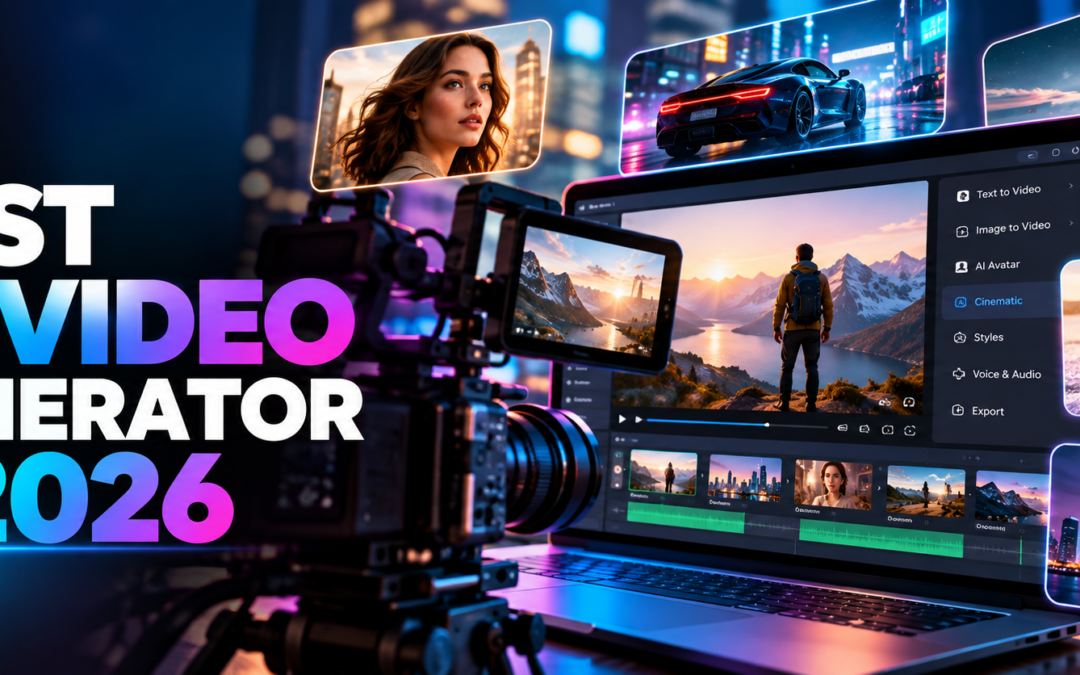
Best AI Video Generator in 2026
Best AI Video Generator in 2026: Top 5 Tools Compared
Artificial intelligence has transformed how people create videos. In 2026, you can turn a simple text prompt, photograph, or product image into an engaging video without professional cameras, expensive equipment, or advanced editing skills. But with so many options available, which is the best AI video generator in 2026?
For most creators looking for realistic scenes, cinematic storytelling, and AI-generated audio, Google Flow with Veo is an excellent starting point. Runway is worth considering for creative control and editing, Kling AI for image-to-video generation, Pika for creative social media clips, and HeyGen for talking presenters and multilingual business videos.
The right tool depends on your budget, the type of video you want to create, and how much control you need over the final result.
In this guide, we compare five popular AI video generators, explain their main features, and help you choose the right platform for YouTube, social media, business marketing, and professional content creation.
Quick Answer: What Is the Best AI Video Generator in 2026?
The best AI video generator depends on your needs. Google Flow is a strong choice for cinematic storytelling and realistic generated scenes, while Runway offers creative video generation and editing tools. Kling AI is useful for animating images, Pika is suitable for creative short-form content, and HeyGen specialises in AI presenters and multilingual videos.
Here is a quick comparison:
| AI Video Generator | Best For | Main Strength |
|---|---|---|
| Google Flow with Veo | Cinematic videos and storytelling | Realistic visuals, audio, and scene controls |
| Runway | Professional creative workflows | Video generation, transformation, and editing |
| Kling AI | Image-to-video animation | Bringing reference images to life |
| Pika | Social media clips | Creative effects and short videos |
| HeyGen | Business explainers | AI presenters, voiceovers, and translation |
Features, free access, output limits, and subscription plans can change. Check each provider's official website before choosing a paid plan.
1. Google Flow with Veo — Best for Cinematic AI Videos
Google Flow is an AI filmmaking workspace that uses Google's generative models, including Veo, to create and develop video scenes. It is designed for creators who want more control over the visual style, characters, camera movements, and continuity of their projects.
Key Features
- Generate video from text prompts and reference images.
- Create cinematic scenes with generated audio where supported.
- Use reference images to help maintain character appearance.
- Extend supported video clips to continue a scene.
- Control framing and camera movement with supported tools.
- Create content for different aspect ratios and publishing formats, depending on the selected model.
Pros
- Strong option for cinematic storytelling.
- Useful for short films, advertisements, and narrative content.
- Reference-driven workflows help maintain visual consistency.
- Can reduce the need for separate audio and video generation tools.
Cons
- Access and generation limits depend on the available plan, region, and model.
- Complex scenes can still produce visual or audio errors.
- Maintaining perfect character consistency across a complete film requires careful prompting and editing.
Who Should Use Google Flow?
Google Flow is suitable for YouTube creators, filmmakers, agencies, and businesses that want to produce realistic promotional videos or cinematic stories.
Official website: https://labs.google/fx/tools/flow
2. Runway — Best for Creative Control and Video Editing
Runway is an AI video creation platform designed for creators who want to generate footage and refine their visual ideas. Its tools support creative video workflows, including generating scenes and transforming existing footage.
Runway is worth considering if you need more than a basic text-to-video generator and want to experiment with different shots, visual styles, and editing approaches.
Key Features
- Generate video from text and images using supported models.
- Transform existing footage with AI editing tools.
- Experiment with different visual styles and shots.
- Develop creative concepts for films and advertising campaigns.
- Build AI-assisted video production workflows.
Pros
- Useful creative controls for professional workflows.
- Supports both generation and video transformation.
- Suitable for advertising concepts, short films, and branded content.
Cons
- Some tools require time to learn.
- Credit limits and paid features vary by plan.
- AI-generated footage may still need conventional editing.
Who Should Use Runway?
Runway is a good option for filmmakers, creative agencies, and marketing teams that want to combine AI generation with a more controlled editing workflow.
Official website: https://runwayml.com/
3. Kling AI — Best for Image-to-Video Generation
Kling AI is an AI video generation platform worth exploring when you want to animate a photograph or use an image as a reference for a generated scene.
For example, an online clothing brand could use a product photograph to develop a short promotional clip. A storyteller could animate a character reference image to create a scene for a short film.
Results depend on the input image, prompt quality, model version, and available controls.
Key Features
- Generate videos from text prompts and images, depending on the selected model.
- Animate subjects and create movement from still images.
- Develop product demonstrations and visual advertisements.
- Experiment with different scene concepts and camera movements.
- Create short-form content for social media.
Pros
- Useful for animating product and character images.
- Suitable for promotional content and visual storytelling.
- Offers an alternative workflow for image-led video creation.
Cons
- Facial details and clothing may change between generated shots.
- Fine movements and complex interactions may need multiple attempts.
- Credits, output quality, and available features vary.
Who Should Use Kling AI?
Kling AI is worth testing if you create product advertisements, fashion videos, character-based stories, or image-led promotional content.
Official website: https://klingai.com/
4. Pika — Best for Creative Social Media Videos
Pika is an AI video creation platform focused on making short, visually engaging content. It can be useful when your goal is to experiment with creative effects rather than produce a complete film in a single generation.
Social media creators can use this type of workflow to develop attention-grabbing visuals for YouTube Shorts, Instagram Reels, and other short-form platforms.
Key Features
- Generate short videos from prompts and supported image inputs.
- Apply creative effects using available tools.
- Experiment with unusual visual transformations.
- Develop concepts for social media content.
- Create visual ideas that can be refined in a video editor.
Pros
- Useful for creative experiments and short clips.
- Suitable for visual hooks and social media concepts.
- Can complement other video production tools.
Cons
- Complex storytelling may require additional tools.
- Results vary depending on the selected feature and prompt.
- Check current access, credits, and export limits before relying on a free plan.
Who Should Use Pika?
Pika is worth considering for creators who want short, creative clips and visual effects for social media content.
Official website: https://pika.art/
5. HeyGen — Best for AI Presenters and Business Videos
HeyGen takes a different approach from cinematic video generators. It focuses on AI presenters, avatars, and videos that communicate information through a person speaking to the audience.
This makes it particularly useful for business explainers, product introductions, training content, and marketing videos where a presenter needs to explain a service.
Key Features
- Create presenter-led videos using supported AI avatars.
- Generate speech from scripts.
- Produce multilingual versions using available translation features.
- Develop training videos, explainers, and promotional presentations.
- Create content without filming every presenter-led scene yourself.
Pros
- Useful for business communication and educational videos.
- Can simplify multilingual content production.
- Suitable for recurring presenter-led video formats.
Cons
- Presenter videos may feel less natural than carefully filmed footage.
- Avatar and translation features depend on the selected plan.
- Custom avatar creation and commercial use may have specific requirements.
Who Should Use HeyGen?
HeyGen is a strong candidate for businesses, educators, marketing teams, and creators who need a talking presenter rather than a cinematic scene.
Official website: https://www.heygen.com/
Best AI Video Generator Comparison: Which One Should You Choose?
The following recommendations focus on use cases rather than claiming that one platform wins every technical test.
| Your Requirement | Recommended Tool to Try |
|---|---|
| Cinematic storytelling | Google Flow |
| Realistic generated scenes and audio | Google Flow with Veo |
| Creative video editing and transformation | Runway |
| Animating reference images | Kling AI |
| Creative short-form video effects | Pika |
| Talking AI presenters | HeyGen |
| Business explainers and multilingual presentations | HeyGen |
Before subscribing, test the same prompt or reference image in your shortlisted tools. Compare motion quality, character consistency, sound, generation time, export quality, and the number of credits required.
How to Choose the Right AI Video Generator
Selecting an AI video generator becomes easier when you start with your intended outcome rather than the number of features a platform advertises.
1. Decide What You Want to Create
Different video projects require different capabilities. Cinematic films benefit from camera and scene controls, while presenter-led explainers need reliable speech and lip-sync. Product videos may depend more on reference-image accuracy.
Write down your main purpose before choosing a tool.
2. Check Video Quality and Motion
A realistic-looking first frame does not guarantee a high-quality video. Look for natural movement, believable lighting, consistent objects, and smooth transitions.
If you are generating people, inspect faces, hands, clothing, and background details throughout the clip.
3. Test Character Consistency
If you are producing a multi-scene story, create a reference image for each main character. Reuse the same reference images and repeat essential descriptions of the character's face, age, clothing, and appearance in every scene.
Reference-image features can help, but no generator guarantees perfect identity consistency in every shot.
4. Consider Audio and Lip-Sync
Some tools generate dialogue, sound effects, or ambient audio alongside video. Others focus mainly on visuals or require separate voiceover production.
If your project includes spoken dialogue, test pronunciation, lip-sync, background noise, and the quality of the generated voice before committing to a workflow.
5. Compare the Real Cost
A free trial or daily credit allowance does not necessarily mean unlimited video creation. One successful clip may require several attempts.
Compare subscription costs, credits per generation, available resolutions, watermarks, export limits, and commercial-use terms. Calculate the cost of an approved final clip, not just the advertised monthly price.
6. Check Commercial Rights
If you create videos for a business, client, or paid advertisement, read the provider's current terms. Check whether the plan permits commercial use and whether you have the necessary rights for uploaded images, voices, logos, music, and other assets.
How to Create Better Videos with AI
Even the best AI video generator can produce poor results if the prompt is unclear. A structured prompt gives the model a clearer creative direction.
Try this prompt formula:
Subject + action + environment + camera movement + lighting + visual style + audio + aspect ratio.
For example:
"Create a cinematic eight-second video of a professional athlete walking into a modern indoor sports arena. The athlete wears a custom black and gold tracksuit. Use a slow camera push-in, realistic fabric movement, dramatic overhead lighting, natural body motion, and a premium sports advertising style. Add subtle arena ambience. Landscape 16:9 composition, with no extra logos or on-screen text."
For a multi-scene story, separate the script into individual shots. Specify what the camera sees, what the character does, and how the scene ends. Use reference images where supported, then edit the clips together and add your final voiceover, music, captions, and sound effects.
This approach usually gives you more control than asking an AI tool to create an entire complex film from one long prompt.
Are Free AI Video Generators Worth Using?
Free AI video generators are useful for learning prompt writing, testing visual styles, and producing initial drafts. However, free access often comes with limitations such as daily credits, queues, watermarks, restricted resolution, or limited model access.
A practical workflow is to shortlist two or three tools, test the same prompt, and evaluate the results before paying for a subscription.
If you need frequent production, calculate the cost of generating several versions of each scene. The cheapest plan is not always the best value if it produces results that require many retries.
How Businesses Can Use AI Video Generators
AI video generation is becoming a practical addition to digital marketing and content production. Businesses can use it to create:
- Product advertisements: Develop visual demonstrations for clothing, jewellery, and other products.
- Social media campaigns: Create short clips for Instagram Reels, Facebook, and YouTube Shorts.
- Website promotional videos: Explain services, products, or features through engaging visuals.
- Educational videos: Turn written instructions into visual demonstrations.
- Brand storytelling: Build a narrative around a company, product, or customer experience.
- Multilingual marketing: Produce different versions of a campaign for audiences who speak different languages.
AI-generated footage still needs human review. Check factual claims, branding, product accuracy, consent, and advertising requirements before publishing.
Frequently Asked Questions
What is the best AI video generator in 2026?
Google Flow with Veo is an excellent starting point for cinematic storytelling, realistic scenes, and generated audio. Runway, Kling AI, Pika, and HeyGen may be better choices for specific editing, image-animation, creative-effects, or presenter-led workflows.
Which AI video generator is best for YouTube?
Google Flow is worth testing for cinematic YouTube stories and promotional footage. Runway can suit creative editing workflows, while HeyGen is useful for presenter-led educational and business videos. Your best choice depends on the format of your channel.
Can I create AI videos for free?
Some AI video platforms provide free access, trial credits, or limited generation allowances. Availability and limits change, so check the official pricing page before planning a regular production schedule.
Which AI video generator is best for realistic human characters?
Google Flow with Veo and Kling AI are worth comparing when you need realistic characters and reference-driven scenes. Test several shots using the same character reference because no platform guarantees perfect identity consistency.
Which AI video generator is best for business advertising?
Google Flow and Runway are worth considering for cinematic advertisements, product storytelling, and creative campaign footage. HeyGen is useful when an AI presenter needs to explain a product or service.
Can AI video generators create videos with sound?
Some AI models support generated dialogue, sound effects, or ambient audio. Other platforms may require separate voiceover or audio editing. Check the current features of the model you plan to use.
Are AI-generated videos suitable for commercial use?
They can be suitable for commercial projects when the provider's terms and the rights to all source materials permit that use. Always review the current licensing conditions before publishing advertisements or client work.
Will AI video generators replace professional video editors?
AI tools can automate parts of video production, but professional editing remains valuable for storytelling, pacing, continuity, sound design, colour correction, and brand accuracy. The strongest workflow often combines AI generation with human creative direction.
Final Verdict: Which AI Video Generator Is Best?
There is no single AI video generator that is best for every project. The right choice depends on whether you prioritise cinematic quality, editing control, image animation, creative effects, or a talking presenter.
For cinematic storytelling and realistic generated scenes, start by testing Google Flow with Veo. Choose Runway for creative editing workflows, Kling AI for reference-image animation, Pika for short creative clips, or HeyGen for presenter-led videos.
Before paying, test the same prompt in your shortlisted tools and compare the final output, credit usage, and licensing terms.
At JOL London — Digital Solutions, our goal is to help creators, professionals, and businesses discover practical digital tools that make everyday work easier. Explore our website for more useful online tools and technology guides.
Ready to improve your video production workflow? Choose a tool that fits your project, test it with a real prompt, and build a repeatable process for creating better content.
References and Official Resources
- Google DeepMind — Veo: https://deepmind.google/models/veo/
- Google Flow — AI video creation: https://labs.google/fx/tools/flow
- Runway — AI video generation: https://runwayml.com/
- Kling AI — Video generation: https://klingai.com/
- Pika — AI video creation: https://pika.art/
- HeyGen — AI avatar and video platform: https://www.heygen.com/
Editorial note: Features and access can change as AI video models are updated. This comparison is intended as a practical guide, not a guarantee of specific results or a universal performance ranking. Verify current pricing, availability, and usage rights directly with each provider.