Elon Musk’s New App XChat – What It Is, How It Works?

Elon Musk’s New App XChat – What It Is, How It Works?

What Is Elon Musk’s XChat App?

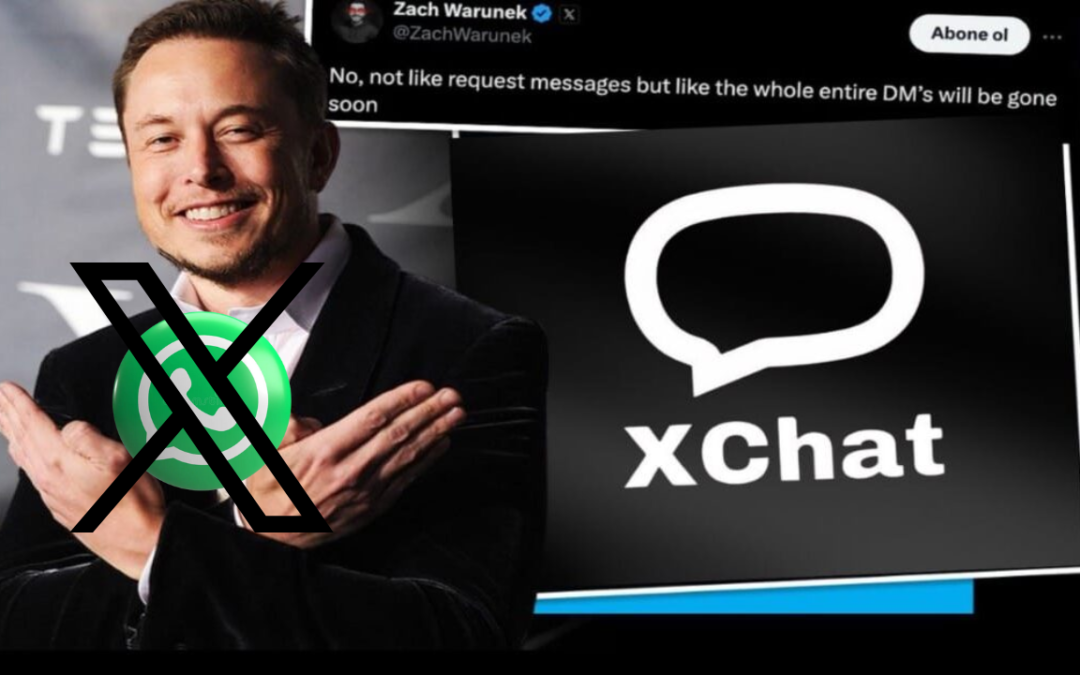
Elon Musk’s new app, XChat, has been launched as a secure messaging feature under the X platform (formerly Twitter). XChat is designed to transform X into an all-in-one communication app, competing with WhatsApp, Telegram, and Signal. With encrypted chats, disappearing messages, and audio/video calls, XChat aims to redefine private messaging on social media.

When Was XChat Launched & User Numbers

Elon Musk’s XChat messaging feature began rolling out in late May and early June 2025, when X (formerly Twitter) started offering the new messaging system to a limited group of users, primarily X Premium subscribers, for beta testing. Musk officially announced on June 1–2, 2025 that XChat with features like end-to-end encryption, vanishing messages, file sharing, and audio/video calling was launching to users “this week,” with broader rollout expected in the following months. Kampala Edge Times+1

While X (the parent platform) already had a large user base before the launch — with an estimated ~650 million users globally as of 2025 — specific public figures for how many users accessed XChat on its first day have not been officially published by X Corp. or Elon Musk. SEO.ai What’s clear from industry commentary is that XChat’s adoption is tied to X’s overall user base, and many users began trying the feature as it expanded out of beta over the months following the initial launch. Techpoint Africa

In other words, although exact first-day and current active user numbers for XChat alone are not released by the company, the potential audience is very large given X’s hundreds-of-millions user base — and usage is growing as more people upgrade to the newer encrypted chat features available across the platform.

What Is XChat?

XChat is an advanced messaging system built into X that upgrades traditional direct messages into a secure, feature-rich chat platform.

Key Highlights of XChat

  • End-to-end encrypted messaging
  • Disappearing messages
  • Audio & video calling
  • File and media sharing
  • No phone number required
  • Cross-platform access (Web, iOS, Android)

How Does XChat Work?

XChat operates inside your X account and uses a new encrypted backend system developed in Rust. Users can choose encrypted chats and protect conversations with a PIN-based security layer.

How Messaging Works

  1. Login to your X account
  2. Open the XChat tab
  3. Select a contact
  4. Enable encryption (optional but recommended)
  5. Start chatting securely

Messages are encrypted so only the sender and receiver can read them.

How to Use XChat – Step-by-Step Guide

Step 1: Create or Login to X Account

You must have an active X account.

Step 2: Access XChat

  • Mobile App: Update X app
  • Desktop: Use X web version

Step 3: Set Up Security PIN

Required for encrypted chats.

Step 4: Start Chatting

Send messages, files, or start audio/video calls.

XChat Features Explained

Encrypted Messaging

XChat offers optional end-to-end encryption to protect conversations from third-party access.

Disappearing Messages

Users can set messages to auto-delete after a specific time.

Audio & Video Calls

Secure calls without sharing your phone number.

File Sharing

Send documents, images, videos, and other files safely.

Cross-Platform Support

Works on web, iOS, and Android (rolling out gradually).

In How Many Countries Will XChat Work?

XChat is expected to work globally wherever X is available. There are no official country restrictions, though feature rollouts may vary by region.

Supported worldwide including:

  • USA
  • UK
  • Europe
  • Asia
  • Middle East
  • Africa

Requirements to Use XChat

To use XChat, you need:

  • Active X account
  • Internet connection
  • Updated X app or web access
  • Security PIN for encrypted chats
  • Optional: X Premium subscription for early features

XChat Data & Privacy Policy Explained

What Data Is Collected?

  • Account details
  • Metadata (time, recipient info)
  • Encrypted message content (not readable by X)

Is XChat Really Private?

  • Messages are encrypted
  • Metadata may still be stored
  • Encryption system is not fully open-source yet

Is XChat Safe or Not?

Safe For

  • Daily communication
  • Business discussions
  • Media sharing
  • Secure calls

Use With Caution

  • Highly sensitive data
  • Legal or confidential communication
  • Users concerned about metadata tracking

Verdict: XChat is safer than traditional DMs but not yet as proven as Signal.

XChat vs WhatsApp vs Telegram

Feature XChat WhatsApp Telegram
Encryption Yes Yes Partial
Phone Number No Yes Optional
Disappearing Messages Yes Yes Yes
Video Calls Yes Yes Yes
Open Source No Partial Partial

Frequently Asked Questions (FAQs)

Is XChat a separate app?

No, it is integrated into X, with a possible standalone version later.

Is XChat free to use?

Yes, basic features are free. Some features may require X Premium.

Do I need a phone number?

No phone number is required.

Can I use XChat for business?

Yes, it can be used for professional communication.

Is Elon Musk’s New App XChat better than WhatsApp?

It offers unique features but still needs more transparency.

Is XChat available on Android?

Android rollout is in progress.

Pros and Cons of XChat

Pros

  • No phone number needed
  • Modern encryption
  • Integrated with X ecosystem
  • Free basic usage

Cons

  • Encryption not fully audited
  • Metadata tracking
  • Still in early stages

Final Verdict: Should You Use XChat?

XChat is a powerful new messaging solution by Elon Musk that moves X closer to becoming a true everything app. While it offers strong features and improved privacy, users should remain cautious until encryption standards are fully verified.

Ideal for users who want secure messaging without phone numbers
Not recommended yet for ultra-sensitive communication

 

Best Curriculum Vitae CV Maker & Resume Maker Online (AI Powered Guide)

Best Curriculum Vitae CV Maker & Resume Maker Online (AI Powered Guide)

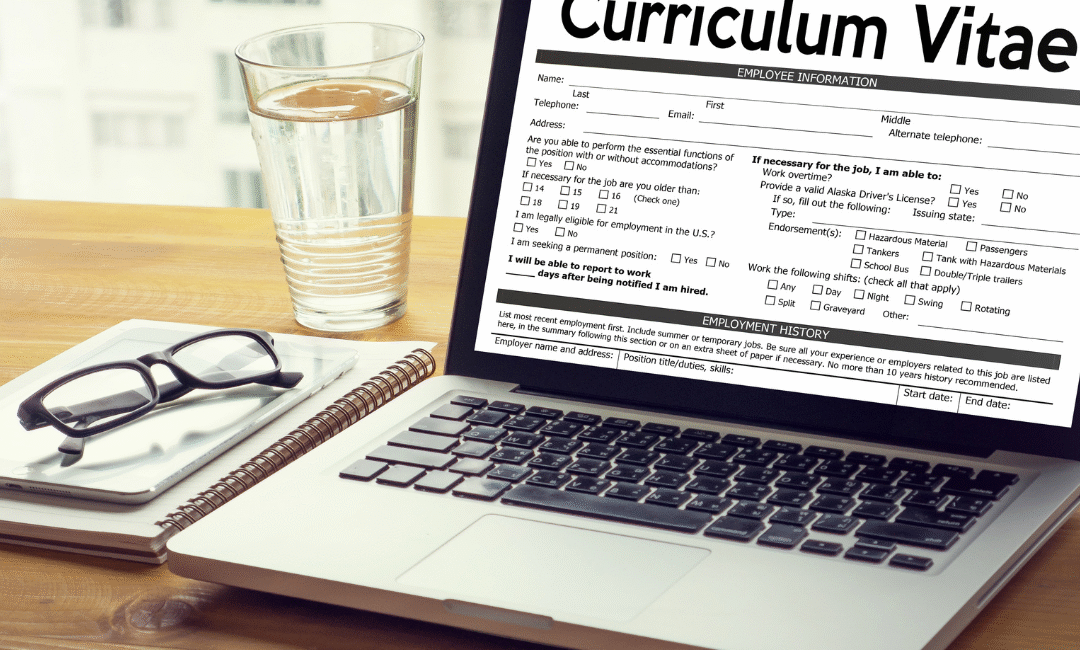
A powerful Best Curriculum Vitae CV can open career opportunities, but creating a professional CV is still a challenge for many job seekers. Thanks to AI CV Makers and online Resume Maker tools, building a job-winning CV has never been easier. Whether you're a student, a fresh graduate, or an experienced professional, an AI Resume Maker helps you generate a polished, ATS-friendly CV in minutes.

In this blog, we will explore everything about Curriculum Vitae, CV Maker tools, Resume Maker platforms, and how AI technology helps you rank higher in today’s competitive job market.

What Is a Best Curriculum Vitae CV?

A Curriculum Vitae, commonly known as a CV, is a detailed document that highlights your:

  • Education
  • Professional Experience
  • Skills
  • Certifications
  • Achievements
  • Projects
  • Languages

A CV is generally longer and more detailed than a resume. It is commonly used for:

  • Academic roles
  • Research positions
  • International job applications
  • Medical & scientific fields

CV vs Resume – What’s the Difference?

While most people use the terms “CV” and “Resume” interchangeably, they are slightly different:

Feature CV Resume
Length 2–5 Pages 1 Page
Purpose Academic, International Jobs Corporate Jobs
Detail Level Very Detailed Short & Direct
Usage Teaching, Medical, Research Office, Private Sector

Both can be created using the same AI CV Maker tools, but the layout and structure vary.

What Is an AI CV Maker or Resume Maker?

An AI CV Maker is a smart online tool that helps you create a professional Curriculum Vitae automatically. It uses artificial intelligence to:

  • Generate job-specific CV content
  • Offer ATS-friendly layouts
  • Provide professional CV templates
  • Rewrite weak sections
  • Correct grammar and formatting
  • Optimize content with keywords from job descriptions

Some platforms even provide a one-click export option, letting users download the CV in PDF, Word, or Text formats.

Why Use Best Curriculum Vitae CV Maker & Resume Maker Online (AI Powered Guide)?

Using a CV builder comes with several benefits:

✔ 1. Easy to Use (No Design Skills Required)

Just enter your information and choose a template.

✔ 2. AI-Powered Suggestions

It helps you write job-specific descriptions such as:
"Improved sales by 30% using strategic customer segmentation."

✔ 3. ATS-Friendly Format

Today, 90% of companies use ATS scanning. An AI Resume Maker ensures your CV is readable by software.

✔ 4. One-Click Export

You can download your Curriculum Vitae in seconds.

✔ 5. Professional Layout & Formatting

Clean sections, modern fonts, and proper margins—everything is automated.

Steps to Create a Professional Curriculum Vitae with an AI CV Maker

Follow these steps:

1. Choose a Template

Select a clean, ATS-friendly design.

2. Enter Basic Details

  • Full Name
  • Job Title
  • Email
  • Phone Number
  • Address

3. Add Professional Summary

AI can generate a compelling summary like:
“Experienced Digital Marketer with strong analytical and SEO skills…”

4. Add Work Experience

Write result-based job descriptions.

5. Add Education, Skills & Certificates

Focus on relevant skills like:

  • SEO
  • Web Development
  • Customer Service
  • Data Analysis

6. Export CV (PDF / Word)

Download and apply to jobs instantly.

Tips for Writing a Strong Curriculum Vitae (AI Optimized)

  • Use action verbs (Managed, Created, Implemented)
  • Add measurable achievements
  • Tailor your CV to the job description
  • Keep formatting consistent
  • Use an ATS-friendly template
  • Avoid long paragraphs—use bullet points

AI Resume Maker tools automatically help you improve these sections.

Conclusion

A strong Curriculum Vitae can make or break your chances of getting hired. Using an AI CV Maker or Resume Maker saves time and ensures your CV looks professional, modern, and fully optimized for applicant tracking systems.

Whether you're a beginner or highly experienced, an AI-powered CV builder helps you craft a perfect CV in minutes — 100% free, fast, and effective.

Best Free AI CV Builder – Why JOL London Beats All Others

Best Free AI CV Builder – Why JOL London Beats All Others

Use Best Free AI CV Builder. In today’s job market, your CV is your first impression — and you only get one chance to make it stand out. Thousands of people search for a free CV builder every day, but most of them fall into the same trap:

They fill out all their experience, skills, education…
Click Download
And suddenly a pop-up appears:

“Add to cart – $2.99”
“Unlock PDF – $3.99”
“Premium export only”

This moment is frustrating for every job seeker. You spend 20–30 minutes entering your details on a CV builder you thought was free, only to realize you can’t download your resume without paying.

This is where JOL London’s Free AI CV Builder changes everything.

Why JOL London Is the Best Free AI CV Builder

1. 100% Free – No Pop-Ups, No Hidden Fees

Unlike other CV builder tools, JOL London never asks you to pay at the end.
No subscription. No $2.99 export. No hidden “premium” options.

You click Download, and your CV instantly saves — full, clean PDF.

This makes JOL London the best truly free CV builder online in 2025.

2. AI-Powered Resume Generator

JOL London uses advanced AI to make CV creation easier than ever:

✔ Auto-write professional summaries
✔ Auto-optimise skills
✔ Fix mistakes and grammar
✔ Match CV to job titles
✔ Create content from simple bullet points

Just paste your information → AI formats it perfectly.

3. Modern, Professional Templates

JOL London offers free templates that look:

  • Clean
  • HR-friendly
  • ATS-compatible
  • Ready to download

Whether you’re applying for corporate, medical, IT, marketing, hospitality, or freelance jobs — there’s a template for you.

4. Lightning-Fast Resume Creation Best Free AI CV Builder

Most CV builders take long and ask multiple steps.
JOL London takes less than 1 minute:

  1. Visit JOLLondon.com → Free AI CV Builder
  2. Enter your details
  3. Choose a template
  4. Click Generate
  5. Download instantly

No waiting. No account required.

5. Perfect for Students, Freshers, Job Seekers & Professionals

The tool is designed to help:

  • Students
  • Fresh graduates
  • People switching careers
  • Experienced professionals
  • Freelancers
  • Anyone who needs a great CV quickly

Thousands use it daily because it’s simple and completely free.

Best Free AI CV Builder

Problem With Other CV Builder Tools

Most “free” tools are not actually free.
Here’s what usually happens:

  • You fill out every section
  • You edit formatting
  • You spend 15–20 minutes
  • When you click download → a paywall appears

They show prices like:

  • $1.99 export
  • $3.99 premium template
  • Monthly subscription
  • “Add to cart” pop-ups
  • “Upgrade to download”

This is why job seekers get frustrated.

JOL London solves this by offering a tool that is truly free forever.

Why JOL London Is the #1 Choice for Free CV Creation

  • AI-powered
  • Free PDF export
  • No login
  • No watermarks
  • No hidden fees
  • No credit card
  • ATS-friendly
  • Clean modern templates

You get a premium-quality CV without spending a single rupee, pound, or dollar.

Conclusion: The Best Free AI CV Builder of 2025

If you are searching for:

  • Best free CV builder
  • Best AI resume generator
  • Free CV download without paying
  • CV builder with no pop-up payment

Then JOL London is the winner.

It is fast, professional, AI-powered and 100% free, with no hidden surprises.

👉 Try it now at JOLLondon.com — Free AI CV Builder

Free Tools Online

Free Tools Online

Free Tools Online | Simplify Your Digital Tasks at Jollondon

Introduction

The internet has transformed the way we work, study, and create. Today, you don’t need to download heavy software or pay for expensive subscriptions — you can get the job done instantly with free tools online. Whether it’s converting a PDF, resizing an image, or managing text, online tools are the fastest way to simplify your digital life.

Why Choose Free Tools Online?

Using online tools comes with many benefits:

  • No installation required – Everything runs directly in your browser.

  • Fast and convenient – Convert, edit, or compress files in seconds.

  • 100% free – Save money while getting professional results.

  • Accessible anywhere – Works on any device with internet access.

  • Secure and private – Files are processed safely.

With free tools available online, you can focus more on your work and less on complicated setups.

Explore Free Tools at Jollondon

Here are some categories of tools you can try right now on our platform:

1. General Tools

A collection of everyday utilities to make quick edits, conversions, and adjustments.

2. Image Converter Tools

Easily convert between JPG, PNG, GIF, and other formats. Compress and resize images without losing quality.

3. PDF Tools

Merge, split, compress, or convert PDFs into Word, Excel, or images — all in one place.

Benefits of Using Jollondon’s Online Tools

  • Save Time: Complete tasks in just a few clicks.

  • Universal Access: Use on desktop, laptop, or mobile.

  • Safe and Secure: We value your privacy.

  • Completely Free: No hidden costs or premium restrictions.

Final Thoughts

If you’re searching for reliable and free tools online, Jollondon.com is your one-stop solution. From image converters to PDF managers, our platform is built to make digital tasks easier, faster, and more secure.

What is the latest update of Youtube 2025″?

What is the latest update of Youtube 2025″?

The latest update of YouTube 2025 introduces a strict monetization policy starting July 15, targeting mass-produced, repetitive, and low-effort videos. Creators must now focus on original, high-quality content to remain eligible for the YouTube Partner Program. This update aims to enhance viewer experience and protect advertiser trust by limiting revenue for channels using AI-generated or templated content without meaningful value.

1. What’s Changing?

    • YouTube will begin strict enforcement to weed out “mass‑produced,” repetitive, and low‑effort content—categories that never technically qualified for monetization under the YouTube Partner Program (YPP), but have often slipped through due to lax enforcement Reddit+14Tubefilter+14Exchange4media+14.

    • The policy has taken shape in new guidelines that help better detect and demonetize such content .


2. 🧩 Who Is Affected?


    • Channels that mass-upload templated videos, automated slideshows, or AI‑generated scripts without meaningful transformation.


3. ✅ What Counts as "Original & Authentic"?


    • Content must be significantly altered if using borrowed footage or audio. Simple cropping, filters, or speed changes no longer cut it The Economic Times+1Gulf News+1.

    • AI can still be used, but only if complemented by substantial creator‑added context or commentary .


4. 🔍 Enforcement & Consequences


5. 💡 Why Is YouTube Doing This?


    • To improve overall content quality and protect advertiser trust amid a surge of low-value, AI-generated uploads Gulf News+1Exchange4media+1.

    • To tackle the boom of Shorts spam: faceless, repetitive clips driving bulk views with no value Tubefilter.


6. 🛠️ Advice for Creators


    1. Do a channel audit before July 15—identify and update any templated, repetitive, or AI-generated videos.

    1. Revamp older content with fresh commentary, meaningful context, or creative editing.

    1. Use AI tools thoughtfully—ensure you're adding a layer of human insight, not just auto-generating.

    1. Stay informed by following YouTube’s official support page and creator updates, and monitor feedback after enforcement begins.


🔚 Final Thoughts

YouTube’s July 15 update isn’t introducing new rules—it’s enforcing existing standards with stricter tech and reviews. If you’re already producing original, insightful content, this shouldn’t pose a problem. But creators leaning heavily on mass uploads, automated or AI-driven content, or minimal editing should take notice—now is the time to pivot toward more authentic storytelling or value-driven content.

Want help reworking your channel strategy or identifying risky videos? I’d be happy to help!

Sources