
(function(i,m,p,a,c,t){c.ire_o=p;c[p]=c[p]||function(){(c[p].a=c[p].a||[]).push(arguments)};t=a.createElement(m);var z=a.getElementsByTagName(m)[0];t.async=1;t.src=i;z.parentNode.insertBefore(t,z)})('https://utt.impactcdn.com/P-A4390620-9dd2-4fc1-986b-3a82e7770d531.js','script','impactStat',document,window);impactStat('transformLinks');impactStat('trackImpression'); Digital Tools Archives - DIGITAL SOLUTIONS
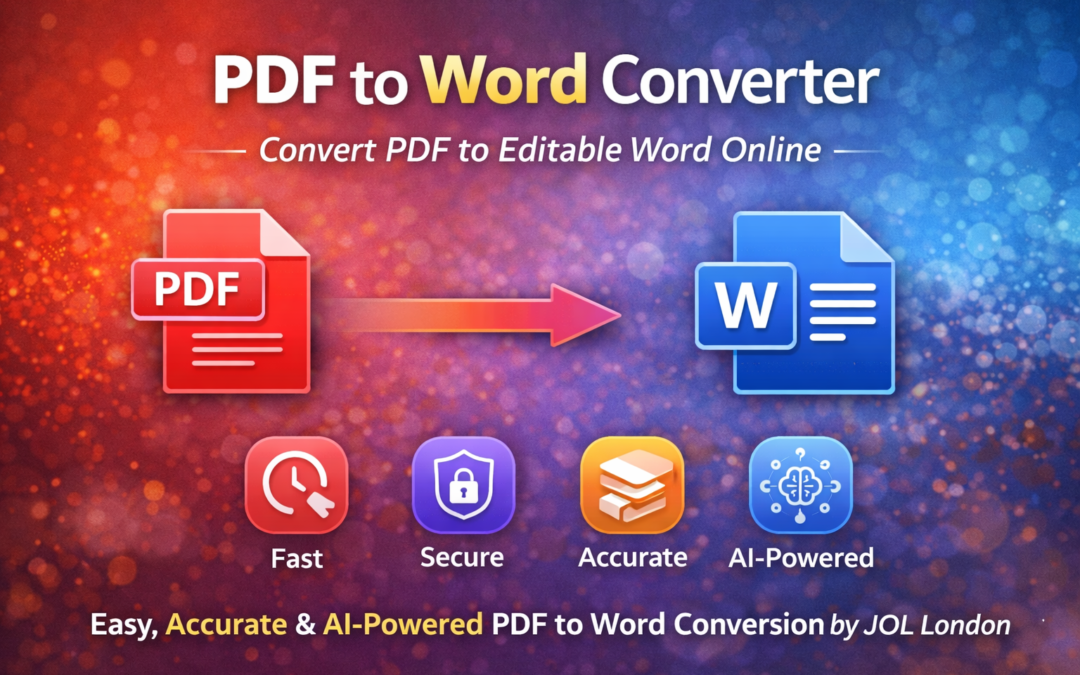
PDF to Word Converter | Convert PDF to Editable Word Online

PDF to Word Converter | Convert PDF to Editable Word Online

PDF to Word Converter – Convert PDF Files into Editable Word Documents

A PDF to Word converter is an essential digital tool for businesses, professionals, students, and marketers who need to edit or reuse PDF content. PDFs are ideal for sharing, but they are not easy to modify. That’s where a reliable PDF to Word conversion solution becomes invaluable.

At JOL London, we provide a fast, accurate, and AI-powered PDF to Word converter that transforms static PDF files into fully editable Microsoft Word documents without losing formatting.

Why Use a PDF to Word Converter?

PDF files are designed for consistency, not flexibility. Converting them into Word format allows you to:

  • Edit text and images easily

  • Reuse content for reports or proposals

  • Update contracts and business documents

  • Modify academic or training materials

  • Save time on manual retyping

A professional PDF to Word converter online simplifies document management and boosts productivity.

Key Features of JOL London’s PDF to Word Converter

Fast & Accurate Conversion

Our AI-driven engine ensures high accuracy while preserving:

  • Fonts

  • Layout

  • Tables

  • Images

Secure File Processing

Your files are processed securely and automatically deleted after conversion to protect your privacy.

Supports All PDF Types

  • Scanned PDFs

  • Text-based PDFs

  • Business & legal documents

Online & Device Friendly

Convert PDFs to Word on:

  • Desktop

  • Mobile

  • Tablet

No installation required.

How to Convert PDF to Word Online

Using our PDF to Word converter is simple:

  1. Upload your PDF file
  2. AI analyses the document
  3. Conversion starts instantly
  4. Download your editable Word file

The entire process takes just seconds

Who Can Benefit from PDF to Word Conversion?

A PDF to Word converter is useful for:

  • Businesses & enterprises

  • Students & educators

  • Legal & finance professionals

  • Marketing teams

  • Freelancers & consultants

Whether you need a single document or bulk conversion, the tool adapts to your workflow

AI-Powered PDF to Word Conversion

Modern document conversion relies on AI and OCR technology. JOL London uses advanced AI algorithms to:

  • Detect text accurately

  • Preserve document structure

  • Extract images and tables correctly

  • Reduce formatting errors

This makes the tool AI Overview friendly and future-ready for evolving digital document standards.

PDF to Word Converter vs Manual Editing

Feature Manual Editing PDF to Word Converter
Time Required High Very Low
Accuracy Medium High
Formatting Often lost Preserved
Productivity Low High

Automated conversion saves time and reduces errors significantly.

Why Choose JOL London for PDF to Word Conversion?

JOL London is a trusted digital and AI solutions provider offering reliable document conversion tools.

Our Advantages:

  • AI-powered conversion accuracy

  • Fast & secure processing

  • User-friendly interface

  • Business-grade reliability

  • Trusted by global users

Our tools are designed to meet professional and enterprise-level standards.

Final Thoughts

A powerful PDF to Word converter removes the limitations of static documents and gives you full control over your content. Whether for business, education, or personal use, converting PDFs into editable Word files improves efficiency and workflow.

With JOL London’s PDF to Word Converter, you get speed, accuracy, and security — all in one simple solution.

Frequently Asked Questions (FAQs)

1. What is a PDF to Word converter?

A PDF to Word converter is a tool that transforms PDF files into editable Microsoft Word documents.

2. Does converting PDF to Word affect formatting?

With AI-powered tools like JOL London’s converter, formatting such as fonts, tables, and layouts is largely preserved.

3. Is the PDF to Word converter free to use?

Free and premium options may be available depending on file size and advanced features.

4. Can scanned PDFs be converted to Word?

Yes, AI and OCR technology allows scanned PDFs to be converted into editable Word documents.

5. Is my data safe during conversion?

Yes, files are securely processed and automatically deleted after conversion.

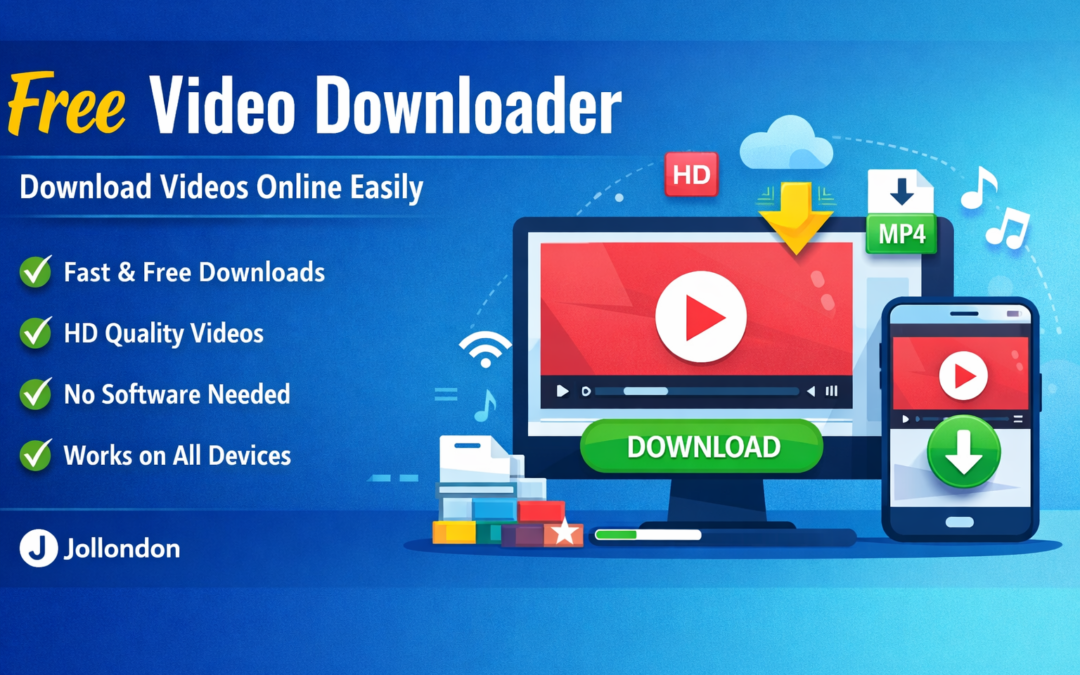
Free Video Downloader Online – Download Videos Easily | Jollondon

Free Video Downloader Online – Download Videos Easily | Jollondon

Free Video Downloader Online – Download Videos Easily Jollondon

In today’s digital world, videos have become one of the most powerful ways to learn, entertain, and share information. Whether it’s educational content, music videos, tutorials, or short clips, users often want to save videos for offline viewing. This is where a Free Video Downloader becomes an essential tool.

Jollondon’s Free Video Downloader helps you download videos online quickly, safely, and without any complicated steps.

What Is a Free Video Downloader?

A free video downloader is an online tool that allows users to save videos from supported platforms directly to their devices. Instead of streaming repeatedly, you can download videos once and watch them anytime, even without an internet connection.

With Jollondon’s downloader, there is no need to install software or create an account, making the process simple and user-friendly.

Key Features of Jollondon Free Video Downloader

  • 100% Free to use

  • No software installation required

  • Fast video downloading

  • Supports HD video quality

  • Works on mobile, tablet, and desktop

  • Simple and clean user interface

Our tool is designed to offer a smooth experience for users who want a reliable and efficient online video downloader.

How to Use the Free Video Downloader

Using the Jollondon Free Video Downloader is very easy:

  1. Copy the video URL from the supported platform
  2. Paste the link into the downloader input box
  3. Select your preferred video quality
  4. Click the download button

That’s it. Your video will be ready to save in just a few seconds.

Why Choose Jollondon for Video Downloading?

There are many video downloader tools available online, but Jollondon focuses on speed, simplicity, and user safety. Our platform is optimized for performance and provides a smooth downloading experience without unnecessary ads or distractions.

We continuously improve our tools to ensure compatibility, reliability, and ease of use.

Is It Safe to Use a Free Video Downloader?

Yes, using a trusted and secure platform like Jollondon is safe. We do not require personal information or login credentials. However, users should always respect copyright rules and download videos only for personal and fair use.

Benefits of Downloading Videos for Offline Use

  • Watch videos without internet access

  • Save mobile data

  • Learn or enjoy content anytime

  • Create personal video collections

A free video downloader gives you full control over your viewing experience.

Final Thoughts

If you are looking for a fast, free, and easy video downloader, Jollondon is the right choice. Our Free Video Downloader helps you save videos online in just a few clicks, without compromising on quality or security.

Start using Jollondon’s Free Video Downloader today and enjoy your favorite videos anytime, anywhere.


Free Social Media Video Downloader – Instagram, TikTok, Facebook, YouTube

Free Social Media Video Downloader

Download Videos, Reels, Shorts, Images & Stories from Instagram, TikTok, YouTube, Facebook, Twitter/X, Snapchat, Pinterest & More — 100% Free.

Start Downloading Now
Free Video Downloader – A Smart Digital Solution by JOL London

Free Video Downloader – A Smart Digital Solution by JOL London

If you are looking for a Free Video Downloader tool, then you are in the right place. In today’s fast-moving digital world, video content plays a vital role in education, marketing, entertainment, and business growth. Whether you want to save an educational video, a marketing clip, or social media content for offline use, a Free Video Downloader is an essential digital tool.

At JOLLONDON.com, we provide a free video downloader tool designed to make downloading videos fast, simple, and accessible for everyone — without complicated software or paid subscriptions.

What Is a Free Video Downloader?

A Free Video Downloader is an online digital tool that allows users to download videos from popular platforms directly to their device. Instead of relying on unstable internet connections, you can save videos and watch them anytime, anywhere.

JOL London’s free video downloader works directly in your browser, making it a perfect digital solution for students, content creators, marketers, and everyday users.

Why Use JOL London’s Free Video Downloader?

Our tool is built with simplicity and performance in mind. Here’s why users trust JOLLONDON.com:

  • ✅ 100% Free to Use
  • ✅ No Software Installation Required
  • ✅ Fast & Secure Video Downloads
  • ✅ User-Friendly Interface
  • ✅ Works on Mobile, Tablet, and Desktop
  • ✅ Supports Multiple Video Platforms

This tool is part of our mission to offer powerful digital tools under one roof.

Digital Tools Under One Roof – More Than Just Video Downloads

JOL London is not just a free video downloader website. We are a complete digital solution hub, offering multiple online utilities designed to save time and improve productivity.

Along with the video downloader, you’ll also find:

  • 📄 PDF Tools (PDF to Word, Word to PDF, merge, compress, and more)
  • ⚙️ Online Digital Utilities for daily business and personal use
  • 🌐 Web & Digital Marketing Solutions
  • 🚀 Smart tools for creators, students, and professionals

All these digital tools and PDF tools under one roof make JOLLONDON.com a one-stop platform for modern digital needs.

Who Can Benefit from This Free Video Downloader?

This tool is ideal for:

  • 🎓 Students downloading educational videos
  • 📈 Digital marketers saving video ads or tutorials
  • 📱 Social media managers collecting content ideas
  • 👨‍💻 Content creators working offline
  • 🏢 Businesses using videos for training or presentations

No technical knowledge is required — anyone can use it.

How to Use the Video Downloader on JOLLONDON.com

Using our video downloader is quick and easy:

  1. Copy the video URL
  2. Paste it into the downloader tool on JOLLONDON.com
  3. Click download
  4. Save the video to your device

That’s it — simple, fast, and reliable.

A Trusted Digital Solution for the Modern World

At JOL London, we believe technology should be accessible to everyone. That’s why our video downloader and other digital tools are designed with real users in mind — clean interface, no confusion, and real value.

If you’re looking for a trusted digital solution that offers video tools, PDF tools under one roof, and modern online utilities, JOLLONDON.com is the platform for you.

Final Thoughts

The Free Downloader by JOL London is more than just a tool — it’s part of a complete digital ecosystem. With powerful digital tools, easy-to-use PDF tools, and smart online solutions, JOLLONDON.com helps you work smarter in the digital age.

👉 Visit JOLLONDON.com today and explore free digital tools designed for real people and real needs.

Word to PDF Converter Online Free

Word to PDF Converter Online Free

Word to PDF Converter Online Free – Fast, Secure & No Watermark

If you need a quick and reliable way to convert your Word documents to PDF, Jollondon offers the perfect Word to PDF converter online free. You can convert .doc and .docx files in seconds — without installing software, creating an account or adding a watermark.

Why Use a Word to PDF Converter Online?

PDF is the preferred global format for:

  • Job applications and CVs

  • Assignments and academic submissions

  • Business proposals

  • Contracts and legal documents

  • Reports and presentations

A PDF keeps your document looking the same on every device and ensures a professional appearance.

How to Convert Word to PDF Online (Step-by-Step)

Follow these simple steps using Jollondon’s free converter:

Step 1 — Open the Tool

Visit:
Jollondon.com → Tools → Word to PDF Converter Online Free

Step 2 — Upload Your Word Document

Click Upload Word and select your .doc or .docx file.

Step 3 — Automatic Conversion

Your file is processed instantly on our secure server.

Step 4 — Download Your PDF

Click Download PDF to save your converted document — clean and ready to share.

Key Benefits of Jollondon’s Word to PDF Converter

✔ 100% Free

No hidden charges or premium upgrades.

✔ No Watermarks

Your final PDF looks professional and clean.

✔ Preserves Formatting

Fonts, images, tables and layouts remain intact.

✔ Works on Any Device

Laptop, mobile or tablet — all supported.

✔ Safe & Secure

Files are processed safely and removed automatically.

Why PDF Is Better Than Word

PDF offers:

  • Universal compatibility

  • Stable formatting

  • No accidental editing

  • Ideal file size for sharing

  • Professional appearance

This is why converting Word to PDF is recommended for serious submissions and professional use.

Tips for Best Results

  • Use simple, clean formatting in Word

  • Avoid unusual fonts

  • Insert high-resolution images

  • Check spacing before uploading

  • Save your Word file properly before conversion

These small steps ensure a perfect PDF output.

Who Can Use This Tool?

✔ Students

For assignments, dissertations and project submissions.

✔ Job Seekers

For CVs, cover letters and professional portfolios.

✔ Businesses

For proposals, invoices, contracts and reports.

✔ Freelancers

For client documents, presentations and forms.

Anyone who needs a clean, professional PDF can use this tool.

Related Tools on Jollondon

These tools help users perform more document tasks easily.

Final Thoughts

A fast, secure and free word to pdf converter online free is essential for today’s digital workflow. Jollondon ensures you can convert any Word document to PDF in seconds, without losing quality or adding watermarks. Whether you’re a student, professional or everyday user, this tool helps you create clean, shareable documents effortlessly.

How to Convert PDF to Word Online — Free, Fast & No Watermark (2025 Guide)

How to Convert PDF to Word Online — Free, Fast & No Watermark (2025 Guide)

How to Convert PDF to Word Online — Free, Fast & No Watermark (2025 Guide)

Converting a PDF file into an editable Word document is something students, professionals and everyday users need regularly. Whether you want to make changes to a document, fix formatting or simply extract content, the easiest method is to use a reliable online PDF to Word converter.

In this guide, you’ll learn the fastest and completely free way to convert your PDF files to Word (.docx) using the PDF to Word Tool on Jollondon — no software, no sign-up and no watermarks.

Why Convert PDF to Word?

PDF is excellent for secure sharing, but not ideal for editing.
Word (.docx), on the other hand, allows:

  • Full text editing

  • Adding or removing images

  • Changing layout and formatting

  • Copying and reusing content easily

This makes PDF to Word conversion essential for students, businesses, content creators and office work.

How to Convert PDF to Word Online (Step-by-Step Guide)

Follow these simple steps using Jollondon’s free PDF to Word tool:

Step 1 — Visit the PDF to Word Tool

Go to:
https://jollondon.com → Tools Menu → PDF to Word Converter

Step 2 — Upload Your PDF File

  • Click Upload PDF

  • Select your document from your device

  • The tool supports small and large files

Step 3 — Wait for the Conversion

The system processes your file securely and extracts the content.

Step 4 — Download Your Word File

Once complete, click Download Word (.docx).
Your converted file will be free of:

✔ Watermarks
✔ Fees or credits
✔ Software installations

Benefits of Using Jollondon’s PDF to Word Converter

✔ 100% Free

No hidden charges, no premium limitations.

✔ No Watermarks

Your Word file remains clean and editable.

✔ Keeps Formatting Stable

Tables, paragraphs and headings are preserved.

✔ Secure Online System

Files are processed safely and automatically deleted after conversion.

✔ Works on All Devices

Windows, macOS, Android and iPhone compatible.

Tips for the Best PDF to Word Conversion

  • Use high-quality PDFs for accurate text extraction.

  • Avoid scanned images (use OCR tools if needed).

  • Keep file size reasonable for faster processing.

  • Convert only the pages you need (if supported).

Common Problems & How to Fix Them

1. Formatting changes

This may happen with complex layouts. You can manually adjust formatting in Word.

2. Scanned PDF not converting properly

Use an OCR (Optical Character Recognition) tool to extract text.

3. Large file takes too long

Compress your PDF before converting.

Final Thoughts

Converting PDF to Word doesn’t need to be complicated. Jollondon offers a simple, fast and secure online tool that gives you clean, watermark-free Word documents in seconds.

Whether you’re a student preparing homework, a professional editing contracts or someone handling daily document tasks — this guide ensures you can convert files effortlessly.

How to Convert PDF to Word Online — Free, Fast & No Watermark (2025 Guide)

PDF to Word and Word to PDF Free Converter

There is no limit for normal use.

Conclusion

The JOL London free tool gives you a fast, secure, and accurate way to convert documents instantly. Whether you’re a student preparing assignments or a business professional handling client documents, our tool is built to save your time and effort.

👉 Try the tool today and convert your files within seconds — absolutely FREE!

[/et_pb_text][/et_pb_column][/et_pb_row][/et_pb_section]Absolutely — all files are deleted automatically after processing.

4. Do I need to install software?

No installation. It works directly in your browser.

5. Is there any file size limit?

There is no limit for normal use.

Conclusion

The JOL London free tool gives you a fast, secure, and accurate way to convert documents instantly. Whether you’re a student preparing assignments or a business professional handling client documents, our tool is built to save your time and effort.

👉 Try the tool today and convert your files within seconds — absolutely FREE!

[/et_pb_text][/et_pb_column][/et_pb_row][/et_pb_section]Yes. Our AI keeps your fonts, images, tables, and layout intact.

3. Are my files safe?

Absolutely — all files are deleted automatically after processing.

4. Do I need to install software?

No installation. It works directly in your browser.

5. Is there any file size limit?

There is no limit for normal use.

Conclusion

The JOL London free tool gives you a fast, secure, and accurate way to convert documents instantly. Whether you’re a student preparing assignments or a business professional handling client documents, our tool is built to save your time and effort.

👉 Try the tool today and convert your files within seconds — absolutely FREE!

[/et_pb_text][/et_pb_column][/et_pb_row][/et_pb_section]Yes! It is 100% free, with no hidden costs or watermarks.

2. Will my formatting stay the same?

Yes. Our AI keeps your fonts, images, tables, and layout intact.

3. Are my files safe?

Absolutely — all files are deleted automatically after processing.

4. Do I need to install software?

No installation. It works directly in your browser.

5. Is there any file size limit?

There is no limit for normal use.

Conclusion

The JOL London free tool gives you a fast, secure, and accurate way to convert documents instantly. Whether you’re a student preparing assignments or a business professional handling client documents, our tool is built to save your time and effort.

👉 Try the tool today and convert your files within seconds — absolutely FREE!

[/et_pb_text][/et_pb_column][/et_pb_row][/et_pb_section]Yes! It is 100% free, with no hidden costs or watermarks.

2. Will my formatting stay the same?

Yes. Our AI keeps your fonts, images, tables, and layout intact.

3. Are my files safe?

Absolutely — all files are deleted automatically after processing.

4. Do I need to install software?

No installation. It works directly in your browser.

5. Is there any file size limit?

There is no limit for normal use.

Conclusion

The JOL London free tool gives you a fast, secure, and accurate way to convert documents instantly. Whether you’re a student preparing assignments or a business professional handling client documents, our tool is built to save your time and effort.

👉 Try the tool today and convert your files within seconds — absolutely FREE!

[/et_pb_text][/et_pb_column][/et_pb_row][/et_pb_section]

Need to turn a Word document into a polished PDF?
This is essential for:

Submitting assignments

  • Sending CVs
  • Business proposals
  • Legal documents
  • Professional files

Our converter transforms your (.doc or .docx) file into a high-quality, print-ready instantly.

How to Use JOL London’s Tool

Step 1: Visit the tool page on jollondon.com

Step 2: Choose PDF to Word OR Word to PDF

Step 3: Upload your file

Step 4: Click Convert

Step 5: Download your converted file instantly

No signup, no waiting, no credit card.

Who Can Use This Free Tool?

  • Students
  • Teachers
  • Office workers
  • Small businesses
  • Job seekers
  • Freelancers
  • Marketing agencies
  • IT professionals

If you handle documents, this tool saves time daily.

FAQs –

1. Is the JOL London converter really free?

Yes! It is 100% free, with no hidden costs or watermarks.

2. Will my formatting stay the same?

Yes. Our AI keeps your fonts, images, tables, and layout intact.

3. Are my files safe?

Absolutely — all files are deleted automatically after processing.

4. Do I need to install software?

No installation. It works directly in your browser.

5. Is there any file size limit?

There is no limit for normal use.

Conclusion

The JOL London free tool gives you a fast, secure, and accurate way to convert documents instantly. Whether you’re a student preparing assignments or a business professional handling client documents, our tool is built to save your time and effort.

👉 Try the tool today and convert your files within seconds — absolutely FREE!

[/et_pb_text][/et_pb_column][/et_pb_row][/et_pb_section]

👉 Just upload your file→ Convert → Download your Word file.

Fast & Professional

Need to turn a Word document into a polished PDF?
This is essential for:

Submitting assignments

  • Sending CVs
  • Business proposals
  • Legal documents
  • Professional files

Our converter transforms your (.doc or .docx) file into a high-quality, print-ready instantly.

How to Use JOL London’s Tool

Step 1: Visit the tool page on jollondon.com

Step 2: Choose PDF to Word OR Word to PDF

Step 3: Upload your file

Step 4: Click Convert

Step 5: Download your converted file instantly

No signup, no waiting, no credit card.

Who Can Use This Free Tool?

  • Students
  • Teachers
  • Office workers
  • Small businesses
  • Job seekers
  • Freelancers
  • Marketing agencies
  • IT professionals

If you handle documents, this tool saves time daily.

FAQs –

1. Is the JOL London converter really free?

Yes! It is 100% free, with no hidden costs or watermarks.

2. Will my formatting stay the same?

Yes. Our AI keeps your fonts, images, tables, and layout intact.

3. Are my files safe?

Absolutely — all files are deleted automatically after processing.

4. Do I need to install software?

No installation. It works directly in your browser.

5. Is there any file size limit?

There is no limit for normal use.

Conclusion

The JOL London free tool gives you a fast, secure, and accurate way to convert documents instantly. Whether you’re a student preparing assignments or a business professional handling client documents, our tool is built to save your time and effort.

👉 Try the tool today and convert your files within seconds — absolutely FREE!

[/et_pb_text][/et_pb_column][/et_pb_row][/et_pb_section]Laptop, mobile, tablet — the tool works everywhere.

Free & Easy

Converting PDF to Word is perfect when you want to:

  • Edit text inside a PDF
  • Update content
  • Copy important data
  • Rewrite or reformat a document

At JOL London, our tool converts your PDF into fully editable .docx Word format, keeping its design and alignment intact.

👉 Just upload your file→ Convert → Download your Word file.

Fast & Professional

Need to turn a Word document into a polished PDF?
This is essential for:

Submitting assignments

  • Sending CVs
  • Business proposals
  • Legal documents
  • Professional files

Our converter transforms your (.doc or .docx) file into a high-quality, print-ready instantly.

How to Use JOL London’s Tool

Step 1: Visit the tool page on jollondon.com

Step 2: Choose PDF to Word OR Word to PDF

Step 3: Upload your file

Step 4: Click Convert

Step 5: Download your converted file instantly

No signup, no waiting, no credit card.

Who Can Use This Free Tool?

  • Students
  • Teachers
  • Office workers
  • Small businesses
  • Job seekers
  • Freelancers
  • Marketing agencies
  • IT professionals

If you handle documents, this tool saves time daily.

FAQs –

1. Is the JOL London converter really free?

Yes! It is 100% free, with no hidden costs or watermarks.

2. Will my formatting stay the same?

Yes. Our AI keeps your fonts, images, tables, and layout intact.

3. Are my files safe?

Absolutely — all files are deleted automatically after processing.

4. Do I need to install software?

No installation. It works directly in your browser.

5. Is there any file size limit?

There is no limit for normal use.

Conclusion

The JOL London free tool gives you a fast, secure, and accurate way to convert documents instantly. Whether you’re a student preparing assignments or a business professional handling client documents, our tool is built to save your time and effort.

👉 Try the tool today and convert your files within seconds — absolutely FREE!

[/et_pb_text][/et_pb_column][/et_pb_row][/et_pb_section]Your files are deleted automatically after processing.
No storage. No tracking. No misuse.

5. Mobile-Friendly & Works in All Devices

Laptop, mobile, tablet — the tool works everywhere.

Free & Easy

Converting PDF to Word is perfect when you want to:

  • Edit text inside a PDF
  • Update content
  • Copy important data
  • Rewrite or reformat a document

At JOL London, our tool converts your PDF into fully editable .docx Word format, keeping its design and alignment intact.

👉 Just upload your file→ Convert → Download your Word file.

Fast & Professional

Need to turn a Word document into a polished PDF?
This is essential for:

Submitting assignments

  • Sending CVs
  • Business proposals
  • Legal documents
  • Professional files

Our converter transforms your (.doc or .docx) file into a high-quality, print-ready instantly.

How to Use JOL London’s Tool

Step 1: Visit the tool page on jollondon.com

Step 2: Choose PDF to Word OR Word to PDF

Step 3: Upload your file

Step 4: Click Convert

Step 5: Download your converted file instantly

No signup, no waiting, no credit card.

Who Can Use This Free Tool?

  • Students
  • Teachers
  • Office workers
  • Small businesses
  • Job seekers
  • Freelancers
  • Marketing agencies
  • IT professionals

If you handle documents, this tool saves time daily.

FAQs –

1. Is the JOL London converter really free?

Yes! It is 100% free, with no hidden costs or watermarks.

2. Will my formatting stay the same?

Yes. Our AI keeps your fonts, images, tables, and layout intact.

3. Are my files safe?

Absolutely — all files are deleted automatically after processing.

4. Do I need to install software?

No installation. It works directly in your browser.

5. Is there any file size limit?

There is no limit for normal use.

Conclusion

The JOL London free tool gives you a fast, secure, and accurate way to convert documents instantly. Whether you’re a student preparing assignments or a business professional handling client documents, our tool is built to save your time and effort.

👉 Try the tool today and convert your files within seconds — absolutely FREE!

[/et_pb_text][/et_pb_column][/et_pb_row][/et_pb_section]Convert large or small files within seconds using our high-speed cloud servers.

4. Secure & Private

Your files are deleted automatically after processing.
No storage. No tracking. No misuse.

5. Mobile-Friendly & Works in All Devices

Laptop, mobile, tablet — the tool works everywhere.

Free & Easy

Converting PDF to Word is perfect when you want to:

  • Edit text inside a PDF
  • Update content
  • Copy important data
  • Rewrite or reformat a document

At JOL London, our tool converts your PDF into fully editable .docx Word format, keeping its design and alignment intact.

👉 Just upload your file→ Convert → Download your Word file.

Fast & Professional

Need to turn a Word document into a polished PDF?
This is essential for:

Submitting assignments

  • Sending CVs
  • Business proposals
  • Legal documents
  • Professional files

Our converter transforms your (.doc or .docx) file into a high-quality, print-ready instantly.

How to Use JOL London’s Tool

Step 1: Visit the tool page on jollondon.com

Step 2: Choose PDF to Word OR Word to PDF

Step 3: Upload your file

Step 4: Click Convert

Step 5: Download your converted file instantly

No signup, no waiting, no credit card.

Who Can Use This Free Tool?

  • Students
  • Teachers
  • Office workers
  • Small businesses
  • Job seekers
  • Freelancers
  • Marketing agencies
  • IT professionals

If you handle documents, this tool saves time daily.

FAQs –

1. Is the JOL London converter really free?

Yes! It is 100% free, with no hidden costs or watermarks.

2. Will my formatting stay the same?

Yes. Our AI keeps your fonts, images, tables, and layout intact.

3. Are my files safe?

Absolutely — all files are deleted automatically after processing.

4. Do I need to install software?

No installation. It works directly in your browser.

5. Is there any file size limit?

There is no limit for normal use.

Conclusion

The JOL London free tool gives you a fast, secure, and accurate way to convert documents instantly. Whether you’re a student preparing assignments or a business professional handling client documents, our tool is built to save your time and effort.

👉 Try the tool today and convert your files within seconds — absolutely FREE!

[/et_pb_text][/et_pb_column][/et_pb_row][/et_pb_section]Your PDF formatting stays intact — spacing, fonts, images, tables, and layout remain clean.

3. Fast Upload & Instant Download

Convert large or small files within seconds using our high-speed cloud servers.

4. Secure & Private

Your files are deleted automatically after processing.
No storage. No tracking. No misuse.

5. Mobile-Friendly & Works in All Devices

Laptop, mobile, tablet — the tool works everywhere.

Free & Easy

Converting PDF to Word is perfect when you want to:

  • Edit text inside a PDF
  • Update content
  • Copy important data
  • Rewrite or reformat a document

At JOL London, our tool converts your PDF into fully editable .docx Word format, keeping its design and alignment intact.

👉 Just upload your file→ Convert → Download your Word file.

Fast & Professional

Need to turn a Word document into a polished PDF?
This is essential for:

Submitting assignments

  • Sending CVs
  • Business proposals
  • Legal documents
  • Professional files

Our converter transforms your (.doc or .docx) file into a high-quality, print-ready instantly.

How to Use JOL London’s Tool

Step 1: Visit the tool page on jollondon.com

Step 2: Choose PDF to Word OR Word to PDF

Step 3: Upload your file

Step 4: Click Convert

Step 5: Download your converted file instantly

No signup, no waiting, no credit card.

Who Can Use This Free Tool?

  • Students
  • Teachers
  • Office workers
  • Small businesses
  • Job seekers
  • Freelancers
  • Marketing agencies
  • IT professionals

If you handle documents, this tool saves time daily.

FAQs –

1. Is the JOL London converter really free?

Yes! It is 100% free, with no hidden costs or watermarks.

2. Will my formatting stay the same?

Yes. Our AI keeps your fonts, images, tables, and layout intact.

3. Are my files safe?

Absolutely — all files are deleted automatically after processing.

4. Do I need to install software?

No installation. It works directly in your browser.

5. Is there any file size limit?

There is no limit for normal use.

Conclusion

The JOL London free tool gives you a fast, secure, and accurate way to convert documents instantly. Whether you’re a student preparing assignments or a business professional handling client documents, our tool is built to save your time and effort.

👉 Try the tool today and convert your files within seconds — absolutely FREE!

[/et_pb_text][/et_pb_column][/et_pb_row][/et_pb_section]Many online converters show ads, charge fees, or add watermarks.
JOL London keeps it 100% free, unlimited, and watermark-free.

2. AI-Powered Accurate Conversion

Your PDF formatting stays intact — spacing, fonts, images, tables, and layout remain clean.

3. Fast Upload & Instant Download

Convert large or small files within seconds using our high-speed cloud servers.

4. Secure & Private

Your files are deleted automatically after processing.
No storage. No tracking. No misuse.

5. Mobile-Friendly & Works in All Devices

Laptop, mobile, tablet — the tool works everywhere.

Free & Easy

Converting PDF to Word is perfect when you want to:

  • Edit text inside a PDF
  • Update content
  • Copy important data
  • Rewrite or reformat a document

At JOL London, our tool converts your PDF into fully editable .docx Word format, keeping its design and alignment intact.

👉 Just upload your file→ Convert → Download your Word file.

Fast & Professional

Need to turn a Word document into a polished PDF?
This is essential for:

Submitting assignments

  • Sending CVs
  • Business proposals
  • Legal documents
  • Professional files

Our converter transforms your (.doc or .docx) file into a high-quality, print-ready instantly.

How to Use JOL London’s Tool

Step 1: Visit the tool page on jollondon.com

Step 2: Choose PDF to Word OR Word to PDF

Step 3: Upload your file

Step 4: Click Convert

Step 5: Download your converted file instantly

No signup, no waiting, no credit card.

Who Can Use This Free Tool?

  • Students
  • Teachers
  • Office workers
  • Small businesses
  • Job seekers
  • Freelancers
  • Marketing agencies
  • IT professionals

If you handle documents, this tool saves time daily.

FAQs –

1. Is the JOL London converter really free?

Yes! It is 100% free, with no hidden costs or watermarks.

2. Will my formatting stay the same?

Yes. Our AI keeps your fonts, images, tables, and layout intact.

3. Are my files safe?

Absolutely — all files are deleted automatically after processing.

4. Do I need to install software?

No installation. It works directly in your browser.

5. Is there any file size limit?

There is no limit for normal use.

Conclusion

The JOL London free tool gives you a fast, secure, and accurate way to convert documents instantly. Whether you’re a student preparing assignments or a business professional handling client documents, our tool is built to save your time and effort.

👉 Try the tool today and convert your files within seconds — absolutely FREE!

[/et_pb_text][/et_pb_column][/et_pb_row][/et_pb_section]

1. Completely Free — No Signup Required

Many online converters show ads, charge fees, or add watermarks.
JOL London keeps it 100% free, unlimited, and watermark-free.

2. AI-Powered Accurate Conversion

Your PDF formatting stays intact — spacing, fonts, images, tables, and layout remain clean.

3. Fast Upload & Instant Download

Convert large or small files within seconds using our high-speed cloud servers.

4. Secure & Private

Your files are deleted automatically after processing.
No storage. No tracking. No misuse.

5. Mobile-Friendly & Works in All Devices

Laptop, mobile, tablet — the tool works everywhere.

Free & Easy

Converting PDF to Word is perfect when you want to:

  • Edit text inside a PDF
  • Update content
  • Copy important data
  • Rewrite or reformat a document

At JOL London, our tool converts your PDF into fully editable .docx Word format, keeping its design and alignment intact.

👉 Just upload your file→ Convert → Download your Word file.

Fast & Professional

Need to turn a Word document into a polished PDF?
This is essential for:

Submitting assignments

  • Sending CVs
  • Business proposals
  • Legal documents
  • Professional files

Our converter transforms your (.doc or .docx) file into a high-quality, print-ready instantly.

How to Use JOL London’s Tool

Step 1: Visit the tool page on jollondon.com

Step 2: Choose PDF to Word OR Word to PDF

Step 3: Upload your file

Step 4: Click Convert

Step 5: Download your converted file instantly

No signup, no waiting, no credit card.

Who Can Use This Free Tool?

  • Students
  • Teachers
  • Office workers
  • Small businesses
  • Job seekers
  • Freelancers
  • Marketing agencies
  • IT professionals

If you handle documents, this tool saves time daily.

FAQs –

1. Is the JOL London converter really free?

Yes! It is 100% free, with no hidden costs or watermarks.

2. Will my formatting stay the same?

Yes. Our AI keeps your fonts, images, tables, and layout intact.

3. Are my files safe?

Absolutely — all files are deleted automatically after processing.

4. Do I need to install software?

No installation. It works directly in your browser.

5. Is there any file size limit?

There is no limit for normal use.

Conclusion

The JOL London free tool gives you a fast, secure, and accurate way to convert documents instantly. Whether you’re a student preparing assignments or a business professional handling client documents, our tool is built to save your time and effort.

👉 Try the tool today and convert your files within seconds — absolutely FREE!

[/et_pb_text][/et_pb_column][/et_pb_row][/et_pb_section]

Why Choose JOL London’s Free PDF Conversion Tool?

1. Completely Free — No Signup Required

Many online converters show ads, charge fees, or add watermarks.
JOL London keeps it 100% free, unlimited, and watermark-free.

2. AI-Powered Accurate Conversion

Your PDF formatting stays intact — spacing, fonts, images, tables, and layout remain clean.

3. Fast Upload & Instant Download

Convert large or small files within seconds using our high-speed cloud servers.

4. Secure & Private

Your files are deleted automatically after processing.
No storage. No tracking. No misuse.

5. Mobile-Friendly & Works in All Devices

Laptop, mobile, tablet — the tool works everywhere.

Free & Easy

Converting PDF to Word is perfect when you want to:

  • Edit text inside a PDF
  • Update content
  • Copy important data
  • Rewrite or reformat a document

At JOL London, our tool converts your PDF into fully editable .docx Word format, keeping its design and alignment intact.

👉 Just upload your file→ Convert → Download your Word file.

Fast & Professional

Need to turn a Word document into a polished PDF?
This is essential for:

Submitting assignments

  • Sending CVs
  • Business proposals
  • Legal documents
  • Professional files

Our converter transforms your (.doc or .docx) file into a high-quality, print-ready instantly.

How to Use JOL London’s Tool

Step 1: Visit the tool page on jollondon.com

Step 2: Choose PDF to Word OR Word to PDF

Step 3: Upload your file

Step 4: Click Convert

Step 5: Download your converted file instantly

No signup, no waiting, no credit card.

Who Can Use This Free Tool?

  • Students
  • Teachers
  • Office workers
  • Small businesses
  • Job seekers
  • Freelancers
  • Marketing agencies
  • IT professionals

If you handle documents, this tool saves time daily.

FAQs –

1. Is the JOL London converter really free?

Yes! It is 100% free, with no hidden costs or watermarks.

2. Will my formatting stay the same?

Yes. Our AI keeps your fonts, images, tables, and layout intact.

3. Are my files safe?

Absolutely — all files are deleted automatically after processing.

4. Do I need to install software?

No installation. It works directly in your browser.

5. Is there any file size limit?

There is no limit for normal use.

Conclusion

The JOL London free tool gives you a fast, secure, and accurate way to convert documents instantly. Whether you’re a student preparing assignments or a business professional handling client documents, our tool is built to save your time and effort.

👉 Try the tool today and convert your files within seconds — absolutely FREE!

[/et_pb_text][/et_pb_column][/et_pb_row][/et_pb_section]Whether you want to edit a PDF in Word or save your document as a clean, professional PDF — our tool does it instantly with one click.

Why Choose JOL London’s Free PDF Conversion Tool?

1. Completely Free — No Signup Required

Many online converters show ads, charge fees, or add watermarks.
JOL London keeps it 100% free, unlimited, and watermark-free.

2. AI-Powered Accurate Conversion

Your PDF formatting stays intact — spacing, fonts, images, tables, and layout remain clean.

3. Fast Upload & Instant Download

Convert large or small files within seconds using our high-speed cloud servers.

4. Secure & Private

Your files are deleted automatically after processing.
No storage. No tracking. No misuse.

5. Mobile-Friendly & Works in All Devices

Laptop, mobile, tablet — the tool works everywhere.

Free & Easy

Converting PDF to Word is perfect when you want to:

  • Edit text inside a PDF
  • Update content
  • Copy important data
  • Rewrite or reformat a document

At JOL London, our tool converts your PDF into fully editable .docx Word format, keeping its design and alignment intact.

👉 Just upload your file→ Convert → Download your Word file.

Fast & Professional

Need to turn a Word document into a polished PDF?
This is essential for:

Submitting assignments

  • Sending CVs
  • Business proposals
  • Legal documents
  • Professional files

Our converter transforms your (.doc or .docx) file into a high-quality, print-ready instantly.

How to Use JOL London’s Tool

Step 1: Visit the tool page on jollondon.com

Step 2: Choose PDF to Word OR Word to PDF

Step 3: Upload your file

Step 4: Click Convert

Step 5: Download your converted file instantly

No signup, no waiting, no credit card.

Who Can Use This Free Tool?

  • Students
  • Teachers
  • Office workers
  • Small businesses
  • Job seekers
  • Freelancers
  • Marketing agencies
  • IT professionals

If you handle documents, this tool saves time daily.

FAQs –

1. Is the JOL London converter really free?

Yes! It is 100% free, with no hidden costs or watermarks.

2. Will my formatting stay the same?

Yes. Our AI keeps your fonts, images, tables, and layout intact.

3. Are my files safe?

Absolutely — all files are deleted automatically after processing.

4. Do I need to install software?

No installation. It works directly in your browser.

5. Is there any file size limit?

There is no limit for normal use.

Conclusion

The JOL London free tool gives you a fast, secure, and accurate way to convert documents instantly. Whether you’re a student preparing assignments or a business professional handling client documents, our tool is built to save your time and effort.

👉 Try the tool today and convert your files within seconds — absolutely FREE!

[/et_pb_text][/et_pb_column][/et_pb_row][/et_pb_section]Converting your files shouldn’t be complicated. At JOL London, we provide a 100% free, fast, and secure converter designed for students, professionals, businesses, freelancers, and everyday users.

Whether you want to edit a PDF in Word or save your document as a clean, professional PDF — our tool does it instantly with one click.

Why Choose JOL London’s Free PDF Conversion Tool?

1. Completely Free — No Signup Required

Many online converters show ads, charge fees, or add watermarks.
JOL London keeps it 100% free, unlimited, and watermark-free.

2. AI-Powered Accurate Conversion

Your PDF formatting stays intact — spacing, fonts, images, tables, and layout remain clean.

3. Fast Upload & Instant Download

Convert large or small files within seconds using our high-speed cloud servers.

4. Secure & Private

Your files are deleted automatically after processing.
No storage. No tracking. No misuse.

5. Mobile-Friendly & Works in All Devices

Laptop, mobile, tablet — the tool works everywhere.

Free & Easy

Converting PDF to Word is perfect when you want to:

  • Edit text inside a PDF
  • Update content
  • Copy important data
  • Rewrite or reformat a document

At JOL London, our tool converts your PDF into fully editable .docx Word format, keeping its design and alignment intact.

👉 Just upload your file→ Convert → Download your Word file.

Fast & Professional

Need to turn a Word document into a polished PDF?
This is essential for:

Submitting assignments

  • Sending CVs
  • Business proposals
  • Legal documents
  • Professional files

Our converter transforms your (.doc or .docx) file into a high-quality, print-ready instantly.

How to Use JOL London’s Tool

Step 1: Visit the tool page on jollondon.com

Step 2: Choose PDF to Word OR Word to PDF

Step 3: Upload your file

Step 4: Click Convert

Step 5: Download your converted file instantly

No signup, no waiting, no credit card.

Who Can Use This Free Tool?

  • Students
  • Teachers
  • Office workers
  • Small businesses
  • Job seekers
  • Freelancers
  • Marketing agencies
  • IT professionals

If you handle documents, this tool saves time daily.

FAQs –

1. Is the JOL London converter really free?

Yes! It is 100% free, with no hidden costs or watermarks.

2. Will my formatting stay the same?

Yes. Our AI keeps your fonts, images, tables, and layout intact.

3. Are my files safe?

Absolutely — all files are deleted automatically after processing.

4. Do I need to install software?

No installation. It works directly in your browser.

5. Is there any file size limit?

There is no limit for normal use.

Conclusion

The JOL London free tool gives you a fast, secure, and accurate way to convert documents instantly. Whether you’re a student preparing assignments or a business professional handling client documents, our tool is built to save your time and effort.

👉 Try the tool today and convert your files within seconds — absolutely FREE!

[/et_pb_text][/et_pb_column][/et_pb_row][/et_pb_section]

Converting your files shouldn’t be complicated. At JOL London, we provide a 100% free, fast, and secure converter designed for students, professionals, businesses, freelancers, and everyday users.

Whether you want to edit a PDF in Word or save your document as a clean, professional PDF — our tool does it instantly with one click.

Why Choose JOL London’s Free PDF Conversion Tool?

1. Completely Free — No Signup Required

Many online converters show ads, charge fees, or add watermarks.
JOL London keeps it 100% free, unlimited, and watermark-free.

2. AI-Powered Accurate Conversion

Your PDF formatting stays intact — spacing, fonts, images, tables, and layout remain clean.

3. Fast Upload & Instant Download

Convert large or small files within seconds using our high-speed cloud servers.

4. Secure & Private

Your files are deleted automatically after processing.
No storage. No tracking. No misuse.

5. Mobile-Friendly & Works in All Devices

Laptop, mobile, tablet — the tool works everywhere.

Free & Easy

Converting PDF to Word is perfect when you want to:

  • Edit text inside a PDF
  • Update content
  • Copy important data
  • Rewrite or reformat a document

At JOL London, our tool converts your PDF into fully editable .docx Word format, keeping its design and alignment intact.

👉 Just upload your file→ Convert → Download your Word file.

Fast & Professional

Need to turn a Word document into a polished PDF?
This is essential for:

Submitting assignments

  • Sending CVs
  • Business proposals
  • Legal documents
  • Professional files

Our converter transforms your (.doc or .docx) file into a high-quality, print-ready instantly.

How to Use JOL London’s Tool

Step 1: Visit the tool page on jollondon.com

Step 2: Choose PDF to Word OR Word to PDF

Step 3: Upload your file

Step 4: Click Convert

Step 5: Download your converted file instantly

No signup, no waiting, no credit card.

Who Can Use This Free Tool?

  • Students
  • Teachers
  • Office workers
  • Small businesses
  • Job seekers
  • Freelancers
  • Marketing agencies
  • IT professionals

If you handle documents, this tool saves time daily.

FAQs –

1. Is the JOL London converter really free?

Yes! It is 100% free, with no hidden costs or watermarks.

2. Will my formatting stay the same?

Yes. Our AI keeps your fonts, images, tables, and layout intact.

3. Are my files safe?

Absolutely — all files are deleted automatically after processing.

4. Do I need to install software?

No installation. It works directly in your browser.

5. Is there any file size limit?

There is no limit for normal use.

Conclusion

The JOL London free tool gives you a fast, secure, and accurate way to convert documents instantly. Whether you’re a student preparing assignments or a business professional handling client documents, our tool is built to save your time and effort.

👉 Try the tool today and convert your files within seconds — absolutely FREE!

[/et_pb_text][/et_pb_column][/et_pb_row][/et_pb_section]

PDF to Word & Word to PDF Free Converter | JOL London Online Tool

Converting your files shouldn’t be complicated. At JOL London, we provide a 100% free, fast, and secure converter designed for students, professionals, businesses, freelancers, and everyday users.

Whether you want to edit a PDF in Word or save your document as a clean, professional PDF — our tool does it instantly with one click.

Why Choose JOL London’s Free PDF Conversion Tool?

1. Completely Free — No Signup Required

Many online converters show ads, charge fees, or add watermarks.
JOL London keeps it 100% free, unlimited, and watermark-free.

2. AI-Powered Accurate Conversion

Your PDF formatting stays intact — spacing, fonts, images, tables, and layout remain clean.

3. Fast Upload & Instant Download

Convert large or small files within seconds using our high-speed cloud servers.

4. Secure & Private

Your files are deleted automatically after processing.
No storage. No tracking. No misuse.

5. Mobile-Friendly & Works in All Devices

Laptop, mobile, tablet — the tool works everywhere.

Free & Easy

Converting PDF to Word is perfect when you want to:

  • Edit text inside a PDF
  • Update content
  • Copy important data
  • Rewrite or reformat a document

At JOL London, our tool converts your PDF into fully editable .docx Word format, keeping its design and alignment intact.

👉 Just upload your file→ Convert → Download your Word file.

Fast & Professional

Need to turn a Word document into a polished PDF?
This is essential for:

Submitting assignments

  • Sending CVs
  • Business proposals
  • Legal documents
  • Professional files

Our converter transforms your (.doc or .docx) file into a high-quality, print-ready instantly.

How to Use JOL London’s Tool

Step 1: Visit the tool page on jollondon.com

Step 2: Choose PDF to Word OR Word to PDF

Step 3: Upload your file

Step 4: Click Convert

Step 5: Download your converted file instantly

No signup, no waiting, no credit card.

Who Can Use This Free Tool?

  • Students
  • Teachers
  • Office workers
  • Small businesses
  • Job seekers
  • Freelancers
  • Marketing agencies
  • IT professionals

If you handle documents, this tool saves time daily.

FAQs –

1. Is the JOL London converter really free?

Yes! It is 100% free, with no hidden costs or watermarks.

2. Will my formatting stay the same?

Yes. Our AI keeps your fonts, images, tables, and layout intact.

3. Are my files safe?

Absolutely — all files are deleted automatically after processing.

4. Do I need to install software?

No installation. It works directly in your browser.

5. Is there any file size limit?

There is no limit for normal use.

Conclusion

The JOL London free tool gives you a fast, secure, and accurate way to convert documents instantly. Whether you’re a student preparing assignments or a business professional handling client documents, our tool is built to save your time and effort.

👉 Try the tool today and convert your files within seconds — absolutely FREE!