
How to Convert PDF to Word Online — Free, Fast & No Watermark (2025 Guide)

How to Convert PDF to Word Online — Free, Fast & No Watermark (2025 Guide)

How to Convert PDF to Word Online — Free, Fast & No Watermark (2026 Guide)

Converting a PDF file into an editable Word document is something students, professionals and everyday users need regularly. Whether you want to make changes to a document, fix formatting or simply extract content, the easiest method is to use a reliable online PDF to Word converter.

In this guide, you’ll learn the fastest and completely free way to convert your PDF files to Word (.docx) using the PDF to Word Tool on Jollondon — no software, no sign-up and no watermarks.

Why Convert PDF to Word?

PDF is excellent for secure sharing, but not ideal for editing.
Word (.docx), on the other hand, allows:

  • Full text editing

  • Adding or removing images

  • Changing layout and formatting

  • Copying and reusing content easily

This makes PDF to Word conversion essential for students, businesses, content creators and office work.

How to Convert PDF to Word Online (Step-by-Step Guide)

Follow these simple steps using Jollondon’s free PDF to Word tool:

Step 1 — Visit the PDF to Word Tool

Go to:
https://jollondon.com → Tools Menu → PDF to Word Converter

Step 2 — Upload Your PDF File

  • Click Upload PDF

  • Select your document from your device

  • The tool supports small and large files

Step 3 — Wait for the Conversion

The system processes your file securely and extracts the content.

Step 4 — Download Your Word File

Once complete, click Download Word (.docx).
Your converted file will be free of:

✔ Watermarks
✔ Fees or credits
✔ Software installations

Benefits of Using Jollondon’s PDF to Word Converter

✔ 100% Free

No hidden charges, no premium limitations.

✔ No Watermarks

Your Word file remains clean and editable.

✔ Keeps Formatting Stable

Tables, paragraphs and headings are preserved.

✔ Secure Online System

Files are processed safely and automatically deleted after conversion.

✔ Works on All Devices

Windows, macOS, Android and iPhone compatible.

Tips for the Best PDF to Word Conversion

  • Use high-quality PDFs for accurate text extraction.

  • Avoid scanned images (use OCR tools if needed).

  • Keep file size reasonable for faster processing.

  • Convert only the pages you need (if supported).

Common Problems & How to Fix Them

1. Formatting changes

This may happen with complex layouts. You can manually adjust formatting in Word.

2. Scanned PDF not converting properly

Use an OCR (Optical Character Recognition) tool to extract text.

3. Large file takes too long

Compress your PDF before converting.

Final Thoughts

Converting PDF to Word doesn’t need to be complicated. Jollondon offers a simple, fast and secure online tool that gives you clean, watermark-free Word documents in seconds.

Whether you’re a student preparing homework, a professional editing contracts or someone handling daily document tasks — this guide ensures you can convert files effortlessly.

Why People Are Buying Old Google Play Console Accounts in 2025 — Real Reasons Explained

Why People Are Buying Old Google Play Console Accounts in 2025 — Real Reasons Explained

Why Buying Old Google Play Console

Buying Old Google Play Console accounts has increased rapidly over the past few years. Many developers, marketers, and even shady operators are trying to buy these “aged” accounts instead of creating new ones.
But why?

In this guide, Jollondon explains the real reasons behind this trend, the risks, and what Google says about it.


1. To Avoid New Strict Verification & Review Rules

Since 2023, Google has added multiple layers of restrictions for new developer accounts, including:

    • Strict identity verification
    • Longer review and approval time
    • Additional security and platform checks
    • Delayed first-time publishing
    • Because of these tougher rules, people look for older accounts that don’t face the same level of scrutiny.
    • This helps them publish apps instantly without waiting.

2. “High Trust Factor” in Google’s Review System

Older Google Play Console accounts often have:

    • Previously published apps
    • A clean policy history
    • Good performance metrics
    • This gives them a higher trust score in Google’s automated review system.

Because of this, apps published from old accounts often:

    • Get approved faster
    • Face fewer rejections
    • Avoid strict manual review
    • This is one of the biggest reasons behind the demand.

3. To Evade Bans or Bypass Google Policies

Another major reason is ban evasion.

If a developer’s original account gets suspended due to:

    • Policy violations
    • Malware issues
    • Misleading apps
    • Copyright issues
    • They cannot open a new account with the same identity.                                                                                                                                                                             So some people buy old accounts to continue publishing — even if their apps were previously banned.                                                               Many shady apps, ad-heavy apps, and low-quality apps use such accounts.

4. For Fast Monetization and Mass App Publishing

There are many developers and agencies who publish:

    • Small utility apps
    • Template-based apps
    • Games with ads
    • Large numbers of cloned apps
    • Old accounts allow them to publish apps quickly and start making money from ads immediately.

This “fast monetization” model is a key reason behind the trend.


5. To Avoid the Effort of Setting Up a New Account

A new Google Play Console account requires:

    • Identity verification
    • Payment setup
    • Tax & legal details
    • Building trust slowly
    • An old account is a shortcut to skip these processes.

Why Buying Old Google Play Console Accounts Is Extremely Risky

Even though people buy them, it is NOT safe.
Here’s why:


1. It Violates Google Play Policies

Google strictly prohibits selling, transferring, or buying accounts.
If detected:

    • The account gets permanently banned
    • All apps are removed
    • Earnings are lost
    • Your devices or IP may get flagged

2. High Probability of Scams

Most accounts are sold on:

    • Telegram groups
    • Black-hat markets
    • Shady online forums
    • Buyers often get scammed, or the seller takes the account back later.

3. Your Company or Brand Reputation Can Be Damaged

If a client discovers you used a purchased account, it harms your professional image.
For long-term business, this is never recommended.


Jollondon Recommendation

At Jollondon.com, we strongly recommend using your own verified Google Play Console account for app publishing.
This ensures:

    • Long-term safety
    • Brand credibility
    • Zero legal risk
    • Better trust from Google
    • Consistent app ranking and monetization
    • If you need help with app development, SEO, or publishing guidance, Jollondon can assist professionally.

Final Thoughts

The trend of buying old Google Play Console accounts continues in 2025 — but it comes with major risks, policy violations, and long-term consequences.
Always choose the safe, professional route.

Free CV Maker – Create a Professional CV Online in Minutes (100% Free)

Free CV Maker – Create a Professional CV Online in Minutes (100% Free)

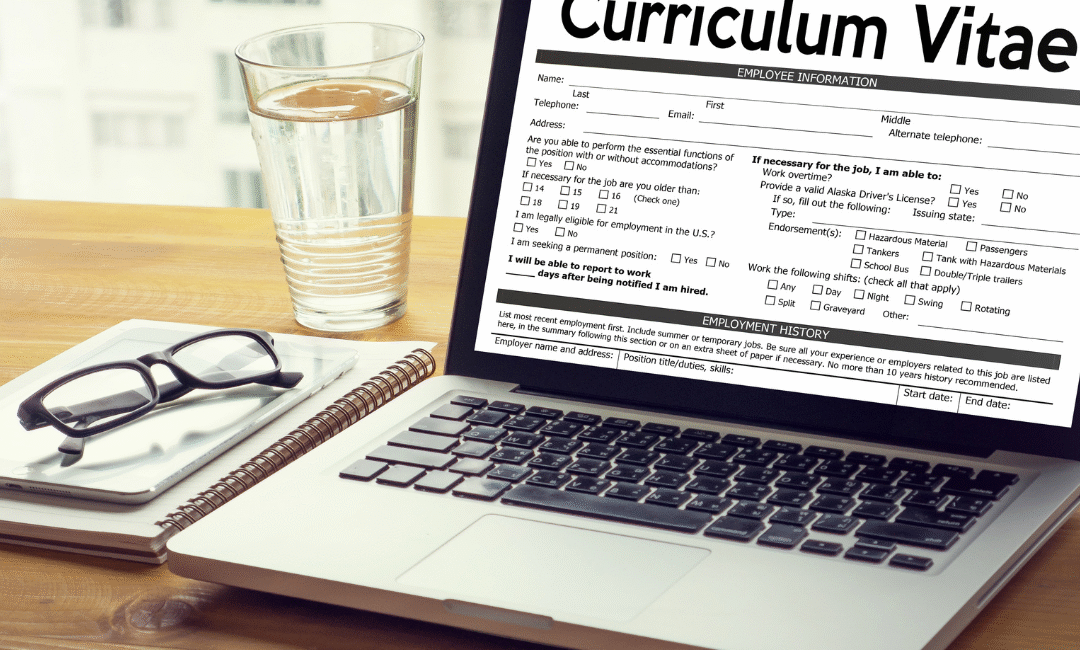
Creating a professional CV is one of the most important steps when applying for a job — but many people still struggle with formatting, layout, grammar, and design. A Free CV Maker solves this problem by allowing anyone to build a job-ready CV online in just a few minutes.

Whether you are a student, a fresh graduate, or an experienced professional, a free CV maker helps you create a clean, modern, HR-approved CV without paying for expensive templates or wasting time in MS Word.

What Is a Free CV Maker?

A Free CV Maker is an online tool that allows you to build and download a professional CV instantly. You simply enter your details, select a template, and the tool automatically formats everything perfectly.

Most free CV makers include:

    • Pre-designed professional templates

    • Auto formatting

    • Grammar assistance

    • AI-generated content suggestions

    • 1-click export to PDF or Word

    • Easy editing for future updates

This helps job seekers create powerful, ATS-friendly CVs without needing design or writing skills.

Why Use an Online Free CV Maker?

✔ 1. Saves Time

No more struggling with Word formatting. You can make a CV in 2–5 minutes.

✔ 2. Professional Design

Templates are modern, clean, and designed to impress recruiters.

✔ 3. ATS-Friendly

Your CV will pass Applicant Tracking Systems used by major companies.

✔ 4. AI Writing Support

Get instant suggestions for experience, skills, summaries, and achievements.

✔ 5. Free to Use

Most tools allow free CV creation and free download.

How a Free CV Maker Helps You Stand Out

A good CV should be:

    • Clear

    • Well-structured

    • Easy to scan

    • Tailored for the job

    • Free from errors

A free CV maker automatically handles these elements so employers can quickly understand your strengths.

You also get AI support to write:

    • Professional summaries

    • Experience descriptions

    • Skill lists

    • Achievement bullet points

    • Keywords relevant to your field

This increases your chances of getting shortlisted.

Who Can Use a Free CV Maker?

A free CV builder is helpful for:

    • Fresh graduates

    • Job seekers

    • Freelancers

    • Students

    • Professionals switching careers

    • Remote job applicants

    • People applying abroad

Anyone who wants a polished CV quickly can benefit from these tools.

Benefits of Using a Free CV Maker for Job Applications

1. Instant Professional Look

Your CV will look polished even if you have no design skills.

2. Consistency in Formatting

The tool ensures proper spacing, fonts, headers, and structure.

3. AI-Optimized Content

Your CV becomes stronger with industry-specific suggestions.

4. Multiple Templates

Switch between modern, creative, or corporate designs anytime.

5. Unlimited Edits

Update your CV anytime without starting from zero.

Tips for Creating the Best CV with Free CV Maker Online

Follow these best practices:

    • Keep your CV 1–2 pages

    • Use strong action words (Managed, Developed, Led, Achieved)

    • Highlight results (Achieved 30% sales growth)

    • Tailor for each job

    • Add relevant skills only

    • Avoid long paragraphs

    • Include a professional summary

    • Make your contact details clear

Conclusion

A Free CV Maker is one of the fastest and easiest ways to create a professional CV that gets noticed. With ready-made templates, AI writing support, and one-click download options, anyone can design a job-winning CV in minutes — completely free.

If you want your CV to stand out and impress employers, using a free online CV maker is the smartest choice.

Best Free AI CV Builder – Why JOL London Beats All Others

Best Free AI CV Builder – Why JOL London Beats All Others

Use Best Free AI CV Builder. In today’s job market, your CV is your first impression — and you only get one chance to make it stand out. Thousands of people search for a free CV builder every day, but most of them fall into the same trap:

They fill out all their experience, skills, education…
Click Download
And suddenly a pop-up appears:

“Add to cart – $2.99”
“Unlock PDF – $3.99”
“Premium export only”

This moment is frustrating for every job seeker. You spend 20–30 minutes entering your details on a CV builder you thought was free, only to realize you can’t download your resume without paying.

This is where JOL London’s Free AI CV Builder changes everything.

Why JOL London Is the Best Free AI CV Builder

1. 100% Free – No Pop-Ups, No Hidden Fees

Unlike other CV builder tools, JOL London never asks you to pay at the end.
No subscription. No $2.99 export. No hidden “premium” options.

You click Download, and your CV instantly saves — full, clean PDF.

This makes JOL London the best truly free CV builder online in 2025.

2. AI-Powered Resume Generator

JOL London uses advanced AI to make CV creation easier than ever:

✔ Auto-write professional summaries
✔ Auto-optimise skills
✔ Fix mistakes and grammar
✔ Match CV to job titles
✔ Create content from simple bullet points

Just paste your information → AI formats it perfectly.

3. Modern, Professional Templates

JOL London offers free templates that look:

  • Clean
  • HR-friendly
  • ATS-compatible
  • Ready to download

Whether you’re applying for corporate, medical, IT, marketing, hospitality, or freelance jobs — there’s a template for you.

4. Lightning-Fast Resume Creation Best Free AI CV Builder

Most CV builders take long and ask multiple steps.
JOL London takes less than 1 minute:

  1. Visit JOLLondon.com → Free AI CV Builder
  2. Enter your details
  3. Choose a template
  4. Click Generate
  5. Download instantly

No waiting. No account required.

5. Perfect for Students, Freshers, Job Seekers & Professionals

The tool is designed to help:

  • Students
  • Fresh graduates
  • People switching careers
  • Experienced professionals
  • Freelancers
  • Anyone who needs a great CV quickly

Thousands use it daily because it’s simple and completely free.

Best Free AI CV Builder

Problem With Other CV Builder Tools

Most “free” tools are not actually free.
Here’s what usually happens:

  • You fill out every section
  • You edit formatting
  • You spend 15–20 minutes
  • When you click download → a paywall appears

They show prices like:

  • $1.99 export
  • $3.99 premium template
  • Monthly subscription
  • “Add to cart” pop-ups
  • “Upgrade to download”

This is why job seekers get frustrated.

JOL London solves this by offering a tool that is truly free forever.

Why JOL London Is the #1 Choice for Free CV Creation

  • AI-powered
  • Free PDF export
  • No login
  • No watermarks
  • No hidden fees
  • No credit card
  • ATS-friendly
  • Clean modern templates

You get a premium-quality CV without spending a single rupee, pound, or dollar.

Conclusion: The Best Free AI CV Builder of 2025

If you are searching for:

  • Best free CV builder
  • Best AI resume generator
  • Free CV download without paying
  • CV builder with no pop-up payment

Then JOL London is the winner.

It is fast, professional, AI-powered and 100% free, with no hidden surprises.

👉 Try it now at JOLLondon.com — Free AI CV Builder

How to Pick a Color with a Color Picker Tool

How to Pick a Color with a Color Picker Tool

How to Pick a Color with a Color Picker Tool (Beginner-Friendly Guide)

If you want to design a logo, build a website, edit images, or match branding colors, you need the exact color code — not “almost red” or “kind of purple.”
The easiest way to do this is by using a color picker tool.

In this guide, you’ll learn how to pick a color with a color picker tool step-by-step.
This article is simple, SEO-friendly, and gives you everything you need to start using color pickers like a pro.

What Is a Color Picker Tool?

A color picker tool is an online tool that helps you find and copy color values such as:

  • HEX (#ff5733)
  • RGB (255, 87, 51)
  • HSL
  • CMYK (for printing)

Color pickers let you select a color from:

  • an image
  • a website
  • a design file
  • or a color wheel

This makes them perfect for designers, developers, marketers, and creators.

Why Use a Color Picker Tool?

Here are the main reasons people use color pickers:

✔ Match exact colors from images

Useful for brand colors, product photos, and logos.

✔ Capture website colors

Designers can inspect any website color instantly.

✔ Create consistent branding

You can save and reuse the same colors across all designs.

✔ No software required

Most tools work online and are completely free.

✔ Works for beginners and professionals

Very simple UI — anyone can use it.

How to Pick a Color with a Color Picker Tool (Step-by-Step)

This is the easiest method, works with any online color picker:

Step 1: Open Your Color Picker Tool

Use any tool such as:

  • Your website’s Online Color Picker
  • Adobe Color Picker
  • Chrome’s built-in color picker
  • Photoshop / Figma pickers

Web-based tools are the simplest and free.

Step 2: Upload an Image or Open the Eyedropper

You can do two things:

Option 1 — Upload an image

Upload a logo, screenshot, or photo.

Option 2 — Use the screen eyedropper

This lets you pick colors from anywhere on your screen.

Step 3: Click on the Color You Want

Use the mouse to click the exact area containing the color.

The tool will instantly show:

  • HEX code
  • RGB code
  • HSL values
  • Preview of the selected color

Step 4: Copy the Color Code

Most tools display a “Copy” button next to the HEX value.

Example:

HEX: #3498db → Copy

Now you can use it in:

  • Website design
  • CSS
  • Canva
  • Photoshop
  • Illustrator
  • Mobile apps
  • Brand guides

Step 5: Save or Export Your Color Palette

Good color picker tools also allow you to:

  • Save colors
  • Export your palette
  • Name your colors
  • Copy multiple codes at once

This helps keep your designs consistent and professional.

Tips for Picking the Perfect Color

✔ Zoom before selecting

Take a zoomed screenshot for more accurate color selection.

✔ Avoid shadows

Shadows or highlights can slightly change color perception.

✔ Use HEX for web design

It’s the most common format online.

✔ Use RGB for digital screens

Best for image editing.

✔ Use CMYK for printing

Gives accurate printed results.

Best Uses of Color Picker Tools

  • Website color matching
  • Creating logos & branding
  • UI/UX design
  • Social media posts
  • Product packaging
  • Photo editing
  • YouTube thumbnails
  • Flyer/Banner design
  • E-commerce product presentation

FAQ — How to Pick a Color With a Color Picker Tool

1. Is a color picker tool free to use?

Yes! Most online tools are free and require no installation.

2. Can I pick a color from a website?

Yes, using the eyedropper feature or a browser extension.

3. Can I extract colors from photos?

Absolutely — upload your photo and click the color.

4. What is the easiest color code to use?

HEX is the most common and beginner-friendly.

5. Why does the color look different on screens?

Different screens have different brightness and color settings.

6. Can I create a full color palette?

Yes — most picker tools allow saving and exporting palettes.

Final Thoughts

Learning how to pick a color with a color picker tool is easy and extremely useful.
Whether you're designing a website, creating a logo, making social media graphics, or matching brand colors, a color picker gives you precision and consistency.

Start using your Online Color Picker Tool today and make your designs look cleaner, more professional, and perfectly color-matched.

Free Image Background Remover

Free Image Background Remover

Free Image Background Remover – Remove Backgrounds Instantly with AI

In today’s digital world, clean and professional visuals are essential. Whether you’re creating social media posts, eCommerce product photos, thumbnails, or marketing designs, a high-quality Free Image Background Remover tool makes your images stand out.

Our Free Image Background Remover helps you erase backgrounds in seconds using powerful AI technology — no Photoshop, no editing skills, and no software installation needed.

If you want fast, accurate, and effortless background removal, this guide explains everything you need to know.

What Is an Free Image Background Remover?

An image background remover is a tool that automatically detects the subject of a photo and removes the background.
It uses:

  • Artificial Intelligence (AI)

  • Deep learning

  • Object detection

  • Smart edge recognition

to deliver a clean, transparent PNG background in just one click.

Perfect for:
✔ Product photos
✔ Portraits
✔ Logos and graphics
✔ Social media content
✔ Marketing banners
✔ Thumbnails
✔ E-commerce listings

Why Use an Online Free Image Background Remover Tool?

Here’s why online background removal is better than manual editing:

1. Instant Results

Remove background in seconds — no need for complex software.

2. Zero Editing Skills Needed

Even beginners can create professional transparent PNGs.

3. High Accuracy

AI detects edges, hair, shadows, and soft objects precisely.

4. Saves Time

Perfect for sellers, designers, photographers, and content creators.

5. Works for Any Image Type

Portraits, product images, graphics, icons, or lifestyle photos.

6. No Software Installation

Everything happens online — fast and simple.

Best Uses of an Image Background Remover

1. E-commerce Product Photos

Amazon, eBay, Shopify, WooCommerce sellers need clean white backgrounds.
Background remover tools help create studio-quality images instantly.

2. Social Media Creatives

Instagram, Facebook, TikTok, and YouTube thumbnails perform better with clean cutouts.

3. Graphic Design & Branding

Use transparent PNGs in:

  • Logos

  • Banners

  • Posters

  • Ads

  • Flyers

4. Professional Profile Photos

Remove or replace your background for LinkedIn or CVs.

5. Marketing & Advertising

Create eye-catching graphics for campaigns and promotions.

How Does AI Background Removal Work?

Modern tools use advanced AI models that:

  1. Identify the main subject
  2. Separate foreground from background
  3. Detect edges, hair, and fine details
  4. Generate a clean cutout
  5. Create a transparent PNG or allow replacement backgrounds

This gives professional results with almost zero manual adjustments

Features of a Good Free Image Background Remover

Look for these essential features:

  • One-click background removal

  • High-resolution export

  • Smart edge detection

  • Support for JPG, PNG, and WebP

  • Transparent PNG output

  • Background replacement options

  • Batch processing (optional)

Step-by-Step: How to Remove Background from an Image

  1. Upload your image
  2. AI automatically detects the subject
  3. Background is removed instantly
  4. Download your clean, transparent PNG
  5. Replace background if needed (white, color, gradient, custom image)

That’s it — simple, fast, and accurate.

Who Can Benefit from Image Background Remover Tools?

  • Photographers

  • Graphic designers

  • E-commerce businesses

  • Social media influencers

  • Marketing agencies

  • YouTubers

  • Bloggers

  • Printing & branding companies

Anyone who works with images will save hours every week.

Why Image Background Removal Is Essential for E-Commerce Brands

Product images with clean backgrounds convert better because they:

  • Look premium

  • Improve trust

  • Highlight the product

  • Meet marketplace guidelines

  • Increase sales and engagement

A professional background remover tool is a must-have for online sellers.

Final Thoughts

A background remover tool is one of the most important resources for modern digital creators. Whether you want clean product images, transparent PNGs, marketing creatives, or professional portraits, AI-powered background removal gives you perfect results instantly.

If you want fast, reliable, and accurate background removal — start using our Free Image Background Remover today.

Try the Free Image Background Remover Now

Instant, automatic, and 100% free to use.
Upload your image and get a clean cutout in seconds.

Remove Background Now
Use Free Online Tools
Explore More AI Editing Features